Recent Blog Posts


All Blog Posts
Looking for something specific? Try searching here.

Procreate for Kids - 5 Age Appropriate Digital Art Activities
Some people might tell you that Procreate is too advanced for kids, especially young kids. They would be right— if you’re expecting your child to master the software and use it to its maximum potential. Consider that most adults only have a partial grasp of the potential of the Procreate app, even those of us who use it nearly every day. While true, it shouldn’t be the deciding factor. You could opt for something “made for kids”, or you can expose your little one to the real-deal creative software that is made for artists— with the understanding that just like any medium you give them (crayons included), mastery of the medium is not required for it to be worthwhile. With the right supervision and guidance, everything they can do on paper, they can do digitally. It is boundless creativity and a great way to practice their motor-skills. And the cool thing is that you can do it with smaller environmental impact (so much less paper waste.)
Procreate for Kids
5 Age Appropriate Digital Art Activities
This post may contain affiliate links. If you use these links to buy something I may earn a commission at no additional cost to you. Thanks.
Do you have a creative young child and you’re wondering what you can do to help them develop their skills?
Have you ever considered digital art? Getting your kids started with digital art is a great way to give them early exposure to a skill that will be beneficial to their creativity in their future.
In this blog, we will look at the digital art software Procreate, and I will share a list of age-appropriate activities for little ones as young as 4+. You can start using these ideas now while they are learning how to navigate the technology, as well as their art and motor-skills.

The digital art world is expansive and there is much to learn, but in this tutorial I will be focusing on ways your little ones can use the Procreate app. As a mother and an art teacher, I have seen many children use it with great success. I will share with you a few of the activities developed with my own four year old daughter, as well as some I’ve developed based on my experience teaching various age groups.
What is Procreate? It is a real-deal creative app created for real artists.
Some people might tell you that Procreate is too advanced for kids, especially young kids. They would be right— if you’re expecting your child to master the software and use it to its maximum potential. Consider that most adults only have a partial grasp of the potential of the Procreate app, even those of us who use it nearly every day. So while true, it shouldn’t be the deciding factor. You could opt for something “made for kids”, or you can expose your little one to the real-deal creative software that is made for artists— with the understanding that just like any medium you give them (crayons included), mastery of the medium is not required for it to be worthwhile. With the right supervision and guidance, what they can do on paper, they can do digitally. It is boundless creativity and a great way to practice the motor-skills they are developing at each stage. In fact, the extra hand-eye coordination practice is what I love most about using Procreate with the 4+ age group. And, you can let them practice page after page (after page) with a smaller environmental impact (so much less paper waste).
In this tutorial, I will give you an overview of the coolest uses and activities I have found for kids using Procreate (listed by age.)
Quick Links
The tool List
First of all, you’ll need the tools. Below you can find a list of all of the tools you’ll need to be able to get started in digital art. You don’t need that much to get started. You may even have an iPad that you allow your kids to use already. If that is the case then you’ll need a digital pencil (or stylus) and the Procreate app. You can even manage without the digital pencil if you really want to keep it simple.

Apple Pencil- I use an Apple Pencil for my digital art. When looking for an Apple Pencil, you can find a 1st Generation and a 2nd Generation version, and just like any gear you could find a refurbished version for less money. You will want to do some research about which pencil is compatible with your iPad.
Procreate App- There are other digital art softwares out there, but Procreate has taken the digital art world by storm. It is user-friendly, CHEAP, ever-expanding and unbelievably diverse. Find the Procreate software in the app store for $9.99.
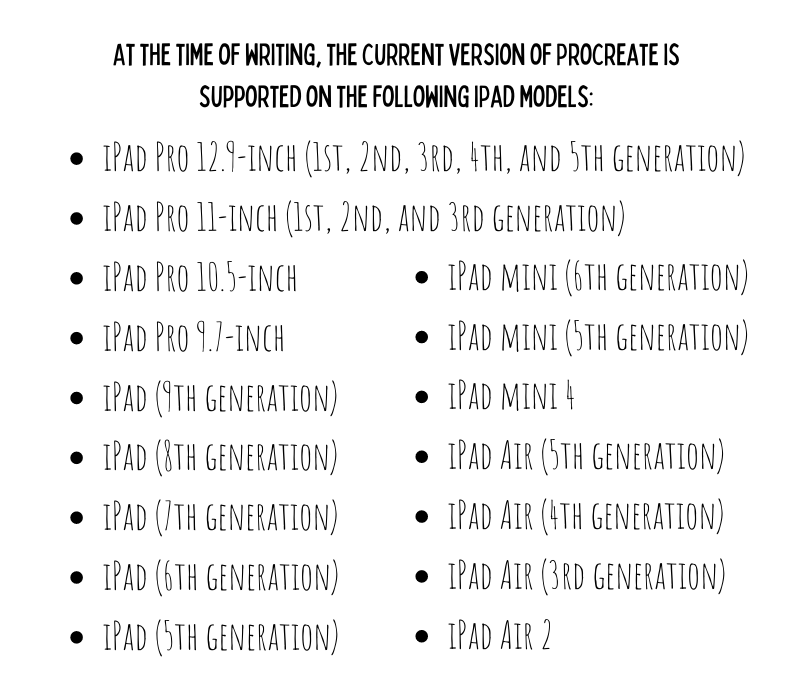
Ipad - Find an iPad that suits your budget. Below I have listed the compatible versions of the iPad from the Procreate website. Check the list below and do your own research to make sure you’re getting something that will be able to run the Procreate software.
Extras- All you really need to get started are the three things above, but if you get excited, there are tons of Apple pencil or iPad accessories that will offer some protection from the wear and tear of little hands. (All of these are clickable.)
Cute cat pencil cover
All kinds of cute covers (pay attention to which pencils they fit)
*As an Amazon Associate I earn from qualifying purchases.
Ages 4+
Quick Snap Function - Scavenger Shapes
Drawing Assist Tool - Mandalas
Color Fill - Color Fill vs. Color Skill
I bet it will shock some to know that I think Procreate is awesome for kids as little as 4 years old. As an artist-mom, my daughter sees me draw on my iPad all the time. I use the drawing app both for my own art and teaching art lessons to kids online. When she begged me to let her take a turn using my digital pencil on Procreate, I decided to give it a try to test my theory that there was value in early exposure to that skill, and that she would pick it up alarmingly quickly. Of course she did, and absolutely adores it. But it’s not just fun. It has also been a very worthwhile learning experience for her.

Don’t be fooled by the advanced technology. Your littlest little ones are developing all of the motor skills used for writing and drawing, so just because they won’t be mastering the technology or even the art skills right away, does not mean there isn’t value to introducing them to the digital medium. This creative software is a new art medium just like any crayon, pencil or paint they try for the first time (and frankly it is probably their future.) In the same way that no one expects a child to master their painting skills at four just because someone put some tempura paint in their hands, you can set the expectation of output that is in line with their developmental stage. You don’t have to think about the value in terms of their knowledge or skill deficit, but rather as the introduction to another new creative experience that they will build on as they grow.
1. “Quick Snap” Perfect Shapes
Procreate has a function called “Quick Snap” that corrects the wobbles in your drawn shapes, such as circles and straight lines. It’s very simple and you won’t have to play with it long to get a sense of how it works. You can think of this a little like a digital ruler tool.
Basically, when you draw a circle rather than picking your pencil up when you have reached the beginning, hold it down and watch as the shape “snaps” to a clean version of the shape you’ve just drawn.
Same idea with drawing lines. Draw a line and hold your pencil down to see it snap into a straight line. Keep holding and move the pencil (or your finger) around to change the angle and length of the line. If you decide you do not want the perfected version of the shape you’ve drawn, just hit “undo” and it will return to the organic, hand-drawn original.
Let your young child try this out and watch their little face light up when their wobbly little lines snap into smooth shapes. I think the ability to create something that seems allusive to a small child makes them feel very powerful and gives them confidence, which is exactly what art should do at this age.
Unless your child never draws on paper again, I wouldn’t worry too much about it hampering their analog drawing skills. To keep things in balance, I will challenge students to try to see how well they can draw a circle or line without using the quick snap function and make comparisons to the corrected one. As my daughter plays and proudly shows me things she has created I will encourage her with something that sounds like, “Who made that amazing line? Whoah. I bet if you keep practicing your drawing skills you’ll be able to do that WITHOUT any help.”
Activity: Scavenger shapes
This activity is really simple. Use the list below, or make up a a list of your own to create a “Scavenger Shapes” game. Basically, it is a scavenger hunt but rather than finding the objects, they are creating them. Give them the list of shapes created by either a straight line or circle with the quick snap tool and let them recreate each one. I like to use the monoline brush in calligraphy, but you choose a brush you like.
Scavenger Shapes Ideas
Perfect Circle
Skinny Rectangle
Oval inside of an oval
Diamond
Triangle inside of a circle
2. Drawing Assist Tool
Another awe-inspiring tool for children is Drawing Assist, another sort of invisible ruler. This tool is exactly what it sounds like — it assists your drawing. There are multiple ways this can be used, but today I am going to focus on a few of the “symmetry” guides. The symmetry setting in drawing assist duplicates every mark on one side of the canvas exactly the same on the other side of the line, making a perfectly symmetrical drawing.
How to: Starting with Actions menu (the little wrench) click the Canvas icon. Below you will see an on/off toggle for “Drawing Guide”. Turn the guide on and then click “Edit Drawing Guide”.
The drawing guide will open up to a grid that you can adjust, but, to create symmetrical drawings, find “Symmetry” in the lower right corner. Below it find “options”. Clicking options will prompt you with four options: vertical, horizontal, quadrant, and radial. These options are somewhat self-explanatory, and you can play around with them to discover what all can be done, but I find that vertical and radial are the most fun for kids.
Vertical
Use vertical drawing guide to create drawings that are symmetrical on the left and right sides. This can be exciting for drawing things like butterflies, flowers, hearts, or anything that you want to be mirrored on each side of the page.
Radial
The radial drawing guide is where things really get exciting. This drawing guide splits the canvas into 8 even sections, radiating from a center point. Anything you draw in one of the sections will appear in all of the remaining sections. This is perfect for flowers, mandalas, and some generally trippy, cool drawing fun.
*Parent-Hack: For your younger children, you will probably have to set up the canvas to use this feature. Rather than going through this process over and over one thousand times (and they will want to do it that many times), do this instead: When setting up the canvas, after creating an assisted drawing layer duplicate it a few times. Then each time they are finished and want to do it again, simply uncheck the layer to hide it and tap the clean blank layer below. Troubleshooting: If you add a new layer rather than duplicating the original layer it will appear with the same guide lines but it will not mirror the marks. If you find that the marks are not being mirrored but the guide lines are still visible, simply tap the layer and making sure there is a check by “Drawing Assist”.
Activity: Mandalas

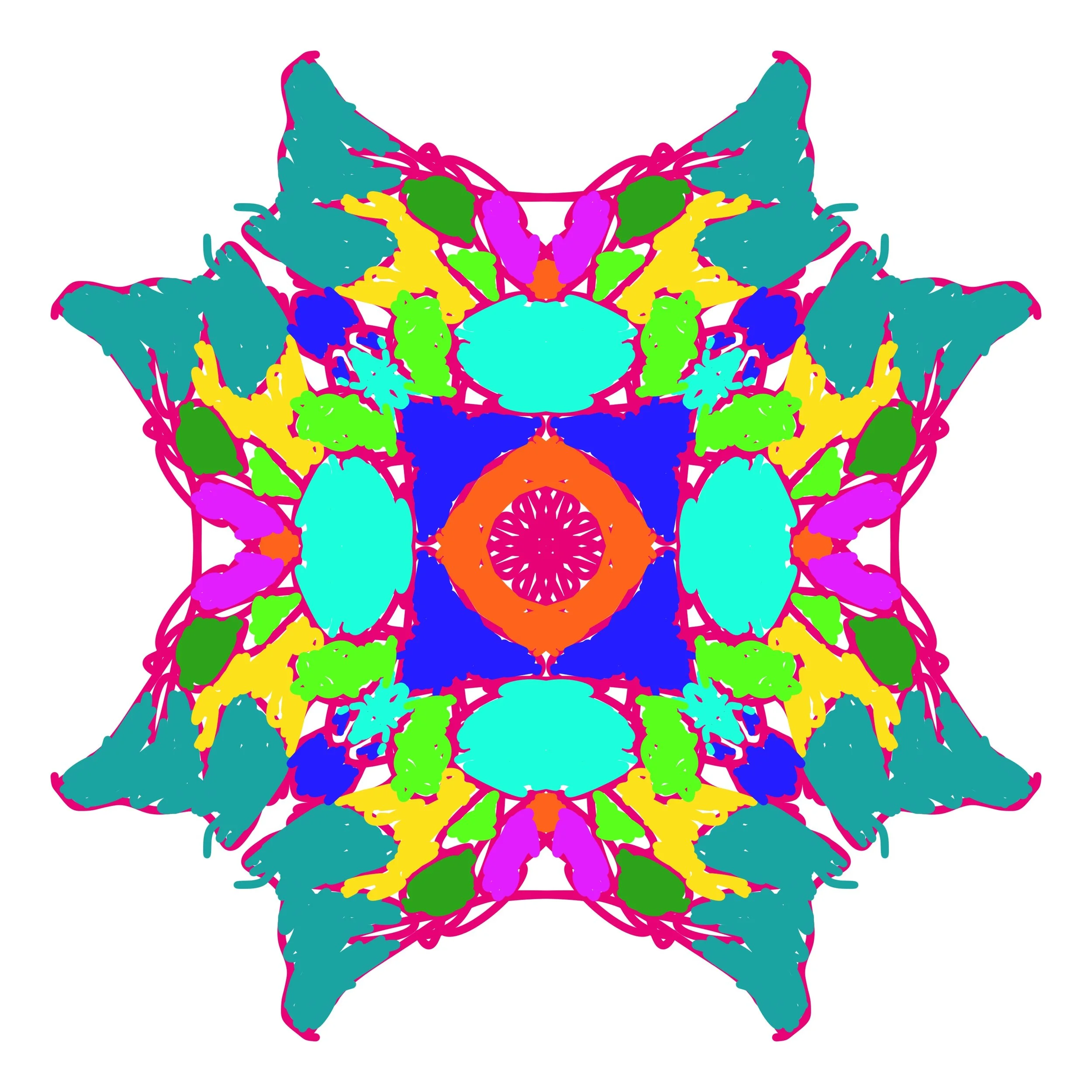

To set this activity up for your child, create a new canvas and turn on the Radial Drawing Assist. (See the instructions above.) Choose the monoline brush or a brush that does not have a texture. You don’t need to grasp the technical reason for using a brush without texture, but it has to do with the way the brush is created, and some can have even single pixel sized gaps in what appears to be a solid line. Remember that if they would like to add color using the color fill after they have drawn their mandala, you will want a brush that does not have gaps in its texture.
Once the radial drawing assist is turned on, they are basically ready to start creating their mandala masterpiece. You can prompt them with directives like, Try using only curvy lines, etc. Or you can let them do their thing. Read Color Fill below to learn a fun way to add color after they draw their designs.
Parent hack*: Save yourself the interruptions every few minutes (seconds) when your child is finished with drawing and would like to do another. When you begin your canvas and you have a layer set up with guides, duplicate the blank layer as many times as necessary. Set your child up drawing on the top layer. When they are done with that drawing, simply uncheck the layer to make no longer visible and then tap the next open layer and let them go for it. Once you have it set up, your child can probably learn the process quickly and will only need you for troubleshooting. Troubleshooting: If a dialogue box pops up about hidden layers, it probably means you’re still trying to draw on a previous layer that you have hidden. Always make sure that you are drawing on the visible layer, or that the box to the right of the layer is checked for the clean layer where you are drawing.
3. Color Fill
The drawing assist feature you just learned is the perfect precursor to the Color Fill function because after drawing those amazing symmetrical drawings, children can fill them with color. It is a fairly straightforward process. Anytime you draw a closed shape in Procreate (more about that momentarily) you are able to drag your selected color from your color options and “fill” the space. This would be the alternative to manually coloring inside of the lines to fill the space as in our coloring books.

How to: In the upper right hand corner there is a colorful circle. This is where you find all of the many color options for selecting the color of your brush. Tap the circle to open and you will see two concentric circles with draggable dots inside. The outer circle is the color wheel that allows you to choose which color family you would like. Drag the dot in the inner circle to choose the saturation, brightness and intensity of your color. Play with this for a few minutes and you will probably have a good understanding.

Choose a color then tap the colorful circle in the right hand corner again to collapse the color menu. Now you can see your selected color in the circle. Touch and hold that circle and drag it into the space you would like to color. If you are filling an empty canvas it will fill the entire space. If you have a shape drawn, you can drag it and release once you see it fill the shape or space you are trying to fill.
Troubleshooting: If you drag your color and it fills the entire canvas instead of the shape you are trying to fill, it is probably because the shape has a gap somewhere where it meets another line. The color fill will “leak” out of any open spaces, even down to the smallest pixel. Try drawing over the point where your lines meet to make sure there are no gaps, or choose a brush that does not have an open texture and try again. At times you will also accidentally change the color of your outline. If you don’t want this, remember that you can hit the backward arrow and undo, and zoom in to make it easier to hold your finger in the space you are intending to fill.
Activity: Color fill vs. Color skill
Set this activity up by creating a layer with the vertical drawing assist guide on. First, ask them to draw a set of shapes on one side (which will be copied onto the other side of the canvas.) Then turn the drawing assist off by tapping the layer and unchecking next to Drawing Assist. Alternatively, you can ask them to draw two sets of shapes on each side and draw a line down the middle.
Then select a brush that mimics a crayon or paint brush for side they will color manually. I recommend oil pastel in “Sketching” or wet acrylic in “Painting” because they are interesting and mimic materials they could use, but you can find any one you like.
Next ask them to “fill” in the shapes on the left side and “color” in the shapes on the right. You can either leave them to discover on their own, or prompt them to think about the differences in what they are doing by asking questions like,
Which way of coloring is faster?
Which one looks more like paint (or crayon, etc.)?
Pre-drawn coloring pages

As I already mentioned, children can fill the intricate mandala designs they have created. It is a lot of fun to drag and drop color into all of the crazy shapes and designs.
Another option to adding color to their own artwork is to add a pre-drawn coloring page to their canvas and let them “color” using their new color fill skill.
Since part of the aim at this age is to help them learn their way around the technology and to tune the specific motor-skills necessary in the digital world where they will inevitably exist, not every activity has to be geared toward art skills.
Yes, it is technology so we know they will get sucked in, but it is technology with a purpose. There ARE skills being learned from this activity, not the least of these being the time they spend selecting and arranging colors on the color wheel will help develop their understanding of color and help them develop an intuition about using color in art.
I find it so interesting to watch the laser-focus of my four-year old as she thoughtfully (and skillfully) selects her color from the color menu and then drags each one to fill the carefully chosen space. This is a GREAT activity when you need them to be otherwise engaged for a long period of time… and it is mostly* self-sufficient.
Ages 6+
Working with Layers- Layer Monsters
Brushes- Brush Scavenger Hunt

The chances are that by six, kids have had enough exposure and experience with technology that they are becoming adept at finding their way around new tech. Keeping that in mind, the possibilities for this age group are fairly expansive. Today, let’s focus on the synergy between the developmental stage of this age group and the slightly more complex uses of Procreate to find a few fun ideas that are both creative and educational.
Working with Layers
Layers in digital art allow work easy work flow. Imagine your layers as transparent pieces of paper stacked on top of one another. You add work behind a previous layer, rearrange layers, add layers and even turn their visibility off. This allows for a lot of creative control.
What are the main uses of layers in Procreate?
Creative control- Working in layers gives you a creative control that would be impossible in traditional mediums. As one example, when working on paper you are not able to decide whether to put the next layer above or below the previous. In digital art, you can.
Preserve work as you go- Digital art allows for a lot of fixable error. Obviously you can undo almost anything, but one of the ways that we preserve our work is by working in layers. Thanks to the ability to add and duplicate the layers at any stage, you have the ability to save your work as you go. Do this by using new layers as you work, and by duplicating layers of artwork at critical stages in case you need to go back.
Rearranging and playing- Layers allow for trial and error. Rearranging the layers will change the effect and appearance of each layer and you are able to test the best arrangement. Layers can be deleted and turned off, so it also allows for trying out different versions of your art until you are satisfied.
Creating multiple versions- Similar to the last note, you can create many versions of the same artwork without having to start from scratch.
Activity: Layer Monsters
To goal of this activity is to help familiarize your child with the concept of layers and get used to adding, rearranging and preserving layers. The end result will hopefully be some silly looking monsters. Lead your child through the instructions below once and I am confident they will be ready to do it on their own quickly.

Step by Step Layer Monsters:
Add a new layer and move it below the shapes layer.
On this layer, ask them to choose different colors and brushes to color each shape. Since they are on a new layer, they won’t be able to color fill (read about color fill above) and they will have to manually color with the pencil, but they will find that, unlike working on paper, their marks do not cover the lines of their shapes. Fun tip: by picking a textured brush and going outside of the lines of the shapes, they can create a “furry” or textured monster. Encourage them to be creative and do each one differently.
Begin a new layer on top of all of the layers. Selecting the brush previously used for the shapes, draw two circles for eyes on each monster. Inside of those eyes add a smaller circle. On this layer, have them use color fill to fill the larger circle white and the smaller circle either black, or the color of their choice. Fun tip: after this they can add a white dot in each of the smaller circles to make the eyes look like they have a reflection. Do this on a new layer on top if you feel up to the challenge.
On the same layer add silly arms and legs.
On the same layer as the eye circles, draw a mouth. Guide them to make sure the shapes are all closed shapes so that they will be able to use the color fill function in each shape. Add triangle teeth for a scary monster, or rectangle teeth for a silly monster. As long as each of these shapes is fully closed with no gaps, they can then color fill the teeth and the inside of the mouth (if they have one.)
Lastly, add a new layer, but this time drag it all the way to the bottom underneath all of your drawing. In this layer they can play by adding a background. They can fill it will a color and then draw on top of the color, or they can simply add grass. What they will find is that because this layer is behind their monster drawings, even if they run their pencil straight over the drawings, it will only show up in the background. COOL.
Repeat and change as they get comfortable. You can use this as a chance to prompt them with things like “Draw a furry, orange monster that looks silly.” or “Draw a tall green and blue monster with sharp teeth.”, etc. Prompting challenges them to explore the app more intentionally because they are looking for something specific rather than selecting something they happen to find. Intentional exploration will speed up the retention of what they have done.
2. Working with Brushes
Brushes are the tools for creating the real-life textures in digital artwork. In digital art, brushes are not just used for the painted textures. Brushes is the term used for the tool used to make marks on the page. Brushes can mimic the textures and strokes made from real artist material, or perfectly replicate complicated textures like hair, concrete or water.
What kinds of brushes can you use in Procreate?
Sketching- These brushes mimic graphite pencils, technical pencils, pastels and artist crayons.
Drawing-This set of brushes offers a mix of wet and dry mediums.
Inking - Include a variety of ink-and-brush styles, technical pens, markers, gel pens, and dry ink effects.
Painting - This selection of brushes covers mediums from acrylic to stucco to oil. They offer a range of brush behaviors including the drag of an aged brush and the smear of an oil brush loaded with turpentine.
Artistic - Texture effects from watery to clumpy. They build up or strip away color to reveal an underlying texture of paper or canvas.
Calligraphy - Create smooth and even calligraphic forms
Airbrushing - Lay down pure color and smooth gradients fast.
Textures - A unique set of realistic textures that mimic a wide range of surfaces and patterns.
Abstract - Brushes that change color, create smoky effects and generate chaotic shapes.
Charcoals - Realistic charcoal brushes is ideal for studies, portraits, and life drawing.
Elements - Smoke, flames, water, clouds, and more.
Spraypaints - A variety of spatter and spray effects.
Materials
Vintage
Luminance
Industrial - concrete, metal, stone, and rust effects.
Organic
Water
Activity: Brush Scavenger Hunt
This activity is meant to give a little direction to their aimless wanderings and also help familiarize them with the tools available. Use a list like the Brush Scavenger Hunt list below, or create your own then begin a new canvas.
a brush that looks like paint
a brush that looks like water
a brush that is see through
a bumpy brush
Once they have mastered that list, make it a little more challenging by adding color directives. So with each one add a color. Find a red-orange brush that looks like paint, a light-blue brush that looks like water, a brush that is see through and makes green when you add a layer of blue over a layer of yellow… and so on.
There you have it. Five Procreate activities for kids as young as four. These activities are geared toward helping your little one familiarize themselves with the technology and process of digital art. If you’re interested in helping improve their art skills along with that, click here and check out my online art classes. You can find classes like Little Birders- Drawing Realistic Birds, private 1:1 Procreate lessons, or weekly drawing clubs like Let’s Draw Bugs, Reptiles, and Animals. (Don’t see a time that works for you? Fell free to message me to work out a class for your schedule.)
You can also follow this link to access the first week of my 5 week FLEX class, “How to Draw Realistic Birds (and Think Like and Artist)” for free!
Happy creating!


5 Creative Christmas Gift Ideas for Kids (That Aren't Toys)
If you’re like me and you want to find a way to make your kids’ Christmas feel magical, but with a little more life enrichment and a little less nonsense— good news, a little thought on the front end can make the obligatory seasonal spending an opportunity to bring value to our kids lives.
Good news, I’ve done the thinking for you. Below are 5 creative Christmas idea (for creative kids) that aren’t toys.
5 Creative Christmas Ideas for Kids (That Aren’t Toys)
This post may contain affiliate links. If you use these links to buy something I may earn a commission at no additional cost to you. Thanks.
If you’re like me and you want to find a way to make your kids’ Christmas feel magical, but with a little more life enrichment and a little less nonsense— good news, a little thought on the front end can make the obligatory seasonal spending an opportunity to bring value to our kids lives.
Good news, I’ve done the thinking for you. Below are 5 creative Christmas idea (for creative kids) that aren’t toys.
Do you remember the lure of Christmas time as a child? I do— and it’s a fairly distinct experience as an adult. For some of us, the idealized version we formed from holiday movies wears off when we realize the magic of the season takes more work than we imagined. (So much work.)
The experience as an adult looks more like wishing the tree and trimmings would put themselves up, admitting to yourself that there will be no snow where you live, because there is never snow (and you will never wear that trendy parka you bought when the weather dropped below 70*). But the worst of all, we find out that the gifts aren’t actually brought to us from a magical (read: free) stock of infinite resources, but that you have to pay for them— shocking.
I know many of you still enjoy the slightly less magical version of Christmas as adults, and you will find a way to wear that parka even if it ends in heat stroke… but I’ve fully accepted the truth of my situation and slid gracefully into the seasonal Grinch that holiday consumerism makes me. Christmas gifting happens every year despite my attempts to wish the hubbub away. Due to this unfortunate lack of control over my surroundings, I am forced to find a happy medium between compulsory materialism and pretending that Christmas doesn’t exist.
I’ve done the research to bring you a Grinch-approved list of life-enriching gift ideas for kids. Each of these has an element of creativity, skill-building and experience-based learning built in. You get credit for being a jolly-awesome parent, while your kids get a secretly enriching experience. And the best part, in my opinion… you don’t have to let a little part of you die every time you open your wallet this holiday season.
SKIP AHEAD:
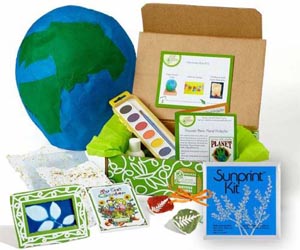

Do you like the idea of fostering an appreciation for science, nature, creativity and earth-consciousness in your kids? You could sit them down and make them watch a documentary about deforestation, or you could expose them to earth-consciousness AND cross a gift off of your list at the same time with a Green Kid Crafts nature-based STEAM kit. (I’m okay with the documentary idea too.)

These boxes are a great Christmas gift idea for your kids because each box comes complete with 4-6 art and science activities. So you’ll have a gift to put under the tree and an activity to fill some of the rest of those pesky 364 days beyond December 25th. It’s a gift that keeps on giving. With craft projects and awesome box themes like: Ecosystem Science, Environmental Activism, Wildlife Science, and Earth Science, you can help your kids learn to love the earth, art and science through creative activities— without even telling them that’s what they’re doing. You won’t have to, because they’ll gain that appreciation from the well curated activities… sneaky you.
Buy an individual box, or if you want multiple boxes that ship all at once you can purchase a pack of boxes, or go for the subscription, where a new box comes to your door monthly. The great news is that through a partnership with One Tree Planted, a tree is planted for every order placed!


This is a great gift for kids who already love birds, families that love to spend time in nature, and for parents who want to help inspire their kids to observe the natural world.
When I began my children’s book my daughter was less than a year old. It was really a project I began with her in mind, so I created an alphabet and nature book to grow with her. That is how I ended up with a book that I wrote to teach my infant the alphabet, and at four years old we’ve still barely begun to scratch the surface of it’s potential— because it is really so much more than that.
Little Birder: A Field Guide to Birds of the Alphabet is an alphabet book inspired by a field guide. With a bird for each letter of the alphabet, a two-part poem, size guide and observation prompts you can customize your reading experience to fit the age of your child. As your kids grow you can begin to include more of each page in your reading time. Expose the youngest children to the alphabet and bright, stimulating illustrations. By the time your child is reading, they will be ready to take it all in— including the prompt question at the bottom of each page that helps develop their observation skills.

For the 4+ age group, add to your gift the Little Birder Birdwatching Journal and a set of binoculars, and you have a gift ready to inspire your little ones to get excited about observation. The Birdwatching Journal has ready-to-fill sections for guiding your little one’s bird observations. Each page has a note section, size chart, a place for the date and location, and each corresponding page has a place for sketching. So you all can take a look at the bird drawing lesson in the back of the Little Birder children’s book (it is also in the back of the journal) and practice those drawing skills in the pages of the birdwatching journal.
(Keep in mind, at the time of writing, I no longer sell my book through Amazon or other large retail book stores like Barnes & Noble. So don’t be like me and wait to order this gift until the very last minute. Plan for small shop turnaround times, and consider expedited shipping if you find yourself close to the day.)
(If you have a child who is really into birds, keep reading and learn more about my most popular art class for kids—Drawing Realistic Birds on Outschool.com!)

Give your creative kid the gift of confidence. The next gift bundle on the list is a combination of cool art supplies AND a set of lessons on how to use them.
I was recognized as an artistic child, and so as I remember it, I received art supplies at every single gifting occasion. I admit that there were many moments when I was hoping for some overpriced plastic object, and so opening a box of artist quality colored pencils left me a little… disillusioned— but that might’ve been because to some degree, I didn’t know what to do with them. I was artistic, but not universally talented. I was just as clueless as any ten year old who found themself with a 324 pack of Prismacolor pencils. So while I really appreciated (and still used) some of those same art supplies way later in my artistic career, through my own experience I realized that a more wholistic version of this very thoughtful gift ritual would be the gift of supplies and the guidance on how to skillfully use them.
Art lessons

I teach art on a platform called Outschool. If you haven’t heard of it yet, you’re welcome in advance. Your kids can learn ANYTHING on Outschool. I teach a number of group art classes for kids on drawing and a variety of different mediums, like oil-pastel or watercolor, but there is also the option of private 1:1 classes where we can focus on the interests, skills and skill-level of your artistic child.
You can sign your child up for a single private 1:1 lesson here, or a set of 5 private lessons at a lower cost per lesson here. (available for ages 6-18)

Some of my favorite group class options are:
Little Birders- Expressive Oil Pastel Bird Painting (ages 9-14)
Kids with Oil Pastels (ages 4-6)
Little Birders- Watercolor Birds - Sketch & Paint - Nature Journal Techniques (ages 8-12)
Art Supplies
Here is a list of the fun art supplies that correspond with the above classes (and a few more.)
Oil Pastels - Oil pastels are the artist’s crayon, so elevate your kids artwork by putting the crayons away and give them a real artist’s medium. It will feel like a natural transition. (Click here for a fun art tutorial for your young kids learning to use oil pastels)
Black mixed media paper - In my classes, I teach kids how to create beautiful artworks in oil pastel on black paper, but oil pastels work great on white paper as well.
Washi tape or painter’s tape - for taping a clean edge on their artwork
Watercolor set - There are lots of options for watercolors, but here are three levels of quality to choose from that are all great for students. Cheap, Medium, Higher
Watercolor paper - Opt for a pad of watercolor paper, or a watercolor journal that will allow you to have all of their work together in one place.
Watercolor brushes - I do no recommend purchasing expensive art brushes, but I do recommend purchasing decent brushes that are the right size. For children I recommend large round brushes like the ones linked here. Small brushes are not east to use with watercolor paintings, even for adults. Opt for something that will hold a lot of water and will be faster for filling the page.
*As an Amazon Associate I earn from qualifying purchases.

4. Real Tools for real skills

There are plenty of imaginative play skill sets out there, but people are getting smart and realizing that kids don’t need pretend tools — they just need kid-sized, kid-friendly version of functional tools and some supervised practice.
When I was younger I spent a lot of time in rural parts of an African country and one of the memories that strikes me most, now that I am a mother, is the memories of children under the age of two, sitting around adeptly cutting vegetables out of their hand with the equivalent of a pairing knife. We’re conditioned to think that we need to keep young kids away from sharp things because they don’t have the ability to be near them safely, but that may be because we don’t give them the opportunity to learn to be near them safely. That is why I absolutely love these next gift suggestions that all fall in the category of real tools for little hands. These are some of the functional tools and sets that help your child enter the world of serious making, without the fear of what could go wrong with letting them get their hands on full-fledged power tools.
A few cool tools

*As an Amazon Associate I earn from qualifying purchases.
1.First up is this 4-in-1 Woodshop Carpentry set. It seriously comes with a functional lathe, jigsaw, drill press, sander and even the safety goggles. Is that not the coolest things you’ve ever seen? I really, really want one. You can also grab some extra wood sheets, sanding disks and tools, or lathe pieces.
2.Next would be a this real action power drill made for little hands. There is even a pink power drill for the DIY princess in your life.
3.There are tons of options out there, but last on my list are these awesome soapstone carving kits if you’re more interested in unplugged hobby tools. Choose between different animal figurines to carve, like an elephant, bear, or go for a set of two like this dolphin and turtle set. All of the supplies you need are included. The kit contains hand-cut Brazilian soapstone shapes, a kid-safe carving file, two grades of sandpaper, polishing wax for a shiny finish, and a buffing cloth.
5. Digital Tools for Real Artists
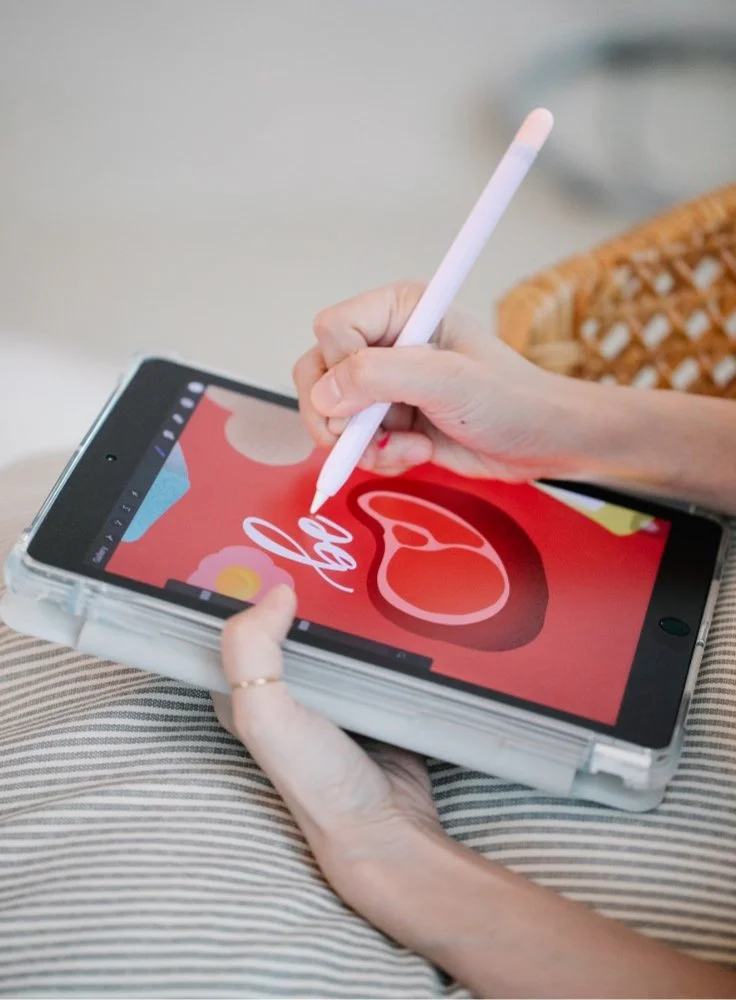
We all feel a little different about kids and technology. I’m fairly wary of it, I admit. I remember being a middle school girl on messenger… not an enriching life experience. I am also one of those resistant strands of human who mumbles under their breath about “progress” and “the good old days” while also scrolling through cat memes. However, being an artist-mom, when my daughter begged me to let her take a turn using my digital pencil on Procreate, the drawing app I use for teaching art lessons, I had to acknowledge the obvious value of early exposure to that skill. She absolutely adores it, and it has genuinely been a worthwhile enriching experience for her.
That is why I am finishing my list with the gift of the Procreate app and an accompanying digital pencil for an iPad. Obviously, you will need an iPad for this gift, so if you do not already have an iPad in your family, that would be the place to start. You can easily find older or refurbished iPads at affordable prices. You don’t need the newest model to make this gift work.

The List
Apple Pencil- When looking for an Apple Pencil, you can find a 1st Generation and a 2nd Generation version. You will want to check the list below and do some research about which pencil is compatible with your iPad.
Procreate App- There are other digital art softwares out there, but Procreate has taken the digital art world by storm. It is user-friendly, CHEAP, ever-expanding and unbelievably diverse. Find the Procreate software in the app store for $9.99.
Ipad - Find an iPad that suits your budget. Below I have listed the compatible versions of the iPad from the Procreate website. You will have to do your own research to make sure you’re getting something that will be able to run the Procreate software.
Extras- All you really need to get started are the three things above, but if you get excited about this gift there are tons of Apple pencil or iPad accessories that you can wrap up separately. (All of these are clickable.)
Cute cat pencil cover
All kinds of cute covers (pay attention to which pencils they fit)
Check out these digital mandalas drawn and colored by my four year old. Yeah, you read that right. Four.
Don’t feel very tech savvy? Don’t worry, you don’t have to teach them yourself.
Try out my private Procreate lessons that are tailored to your child’s needs and interests to help your kids get started using their new gift. Follow this link or click the photo to visit my classes on Outschool.com.
Fear not!
Don’t be fooled by the advanced technology. Your littlest little ones are developing all of the motor skills used for writing and drawing, so just because they won’t be mastering the technology or even the art skills right away, does not mean there is no value to introducing them to the digital medium. This creative software is a new art medium just like any crayon, pencil or paint they try for the first time (and frankly it is probably their future.) In the same way that no one expects a child to master their painting skills at four just because someone put some tempura paint in their hands, you can set the expectation for their output in line with their developmental stage and think of this as a first exposure. Don’t think about it in terms of their knowledge or skill deficit, but rather as the introduction to another new creative experience that they will build on as they grow.
With the right supervision, everything they can do on paper, they can do digitally. It is boundless creativity and a great way to practice their motor-skills with smaller environmental impact (so much less paper waste.)
That’s all folks!

There you have it, a list of gifts your kids will really enjoy that will also develop their creativity, motor skills and who knows— maybe even find a new passion or natural talent. Now you can go reward yourself with the best parts of the season like Christmas cookies, and maybe a hot bath.
Does the holiday gift hubbub make you want to run and hide? What are other ways you’ve found to make the gift-giving a little less chaotic? Comment below!
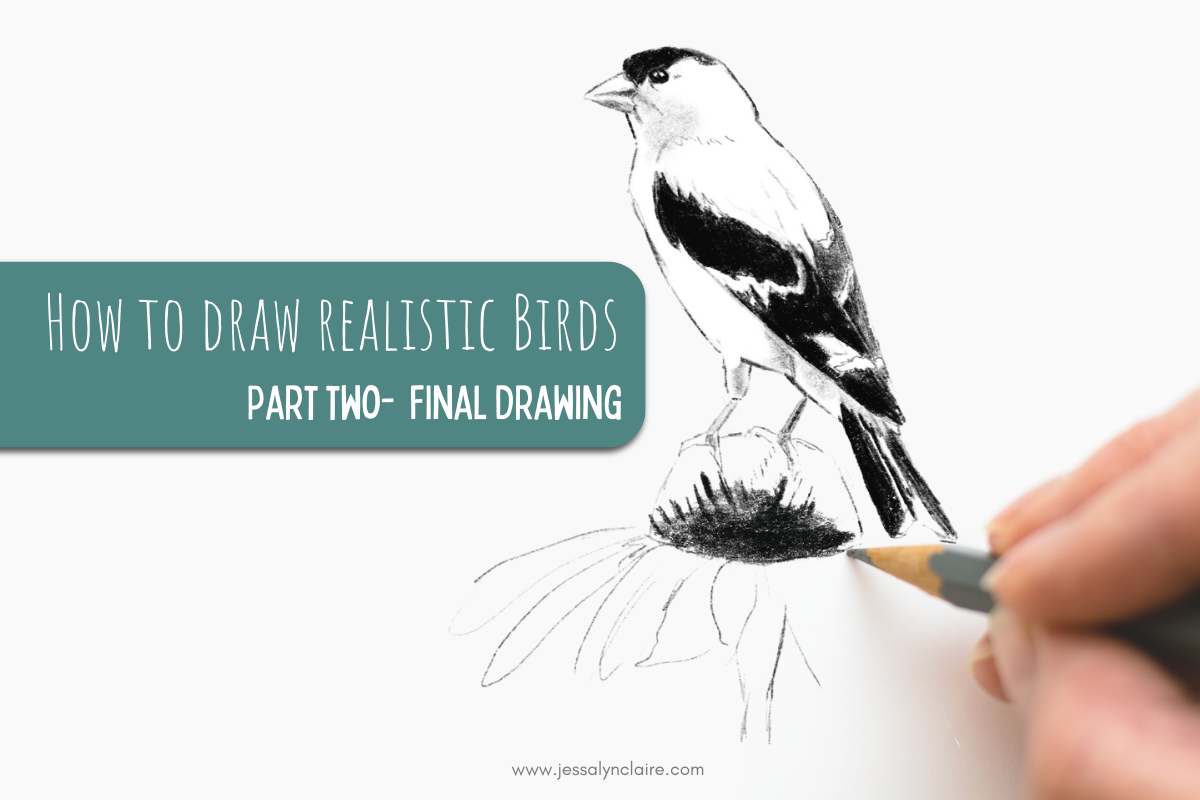
How to Draw Realistic Birds- Part Two- Final Drawing
Let’s pick up where we left off…
When I talk about the two different stages of a drawing, I will often refer to the sketch stage as the “thinking part” and the drawing stage as, “the artistic part”, because that is essentially what they are. The sketch is the stage of a drawing that forces you to slow down, use your brain as you measure and study and adjust until your drawing is as accurate as possible.

How to Draw Realistic Birds
Welcome back! Don’t forget to sign up to download the How to Draw Realistic Birds- Part Two PDF below.
This post may contain affiliate links. If you use these links to buy something I may earn a commission at no additional cost to you. Thanks.
Part Two- Final Drawing
Welcome to the second part of the How to Draw Realistic Birds tutorial. In part one, we learned how to see and use basic shapes to create a sketch that will be the foundation of our drawing. In this post, we will move on to the “artistic” part of our drawing, and let’s be honest— the part we all came for.
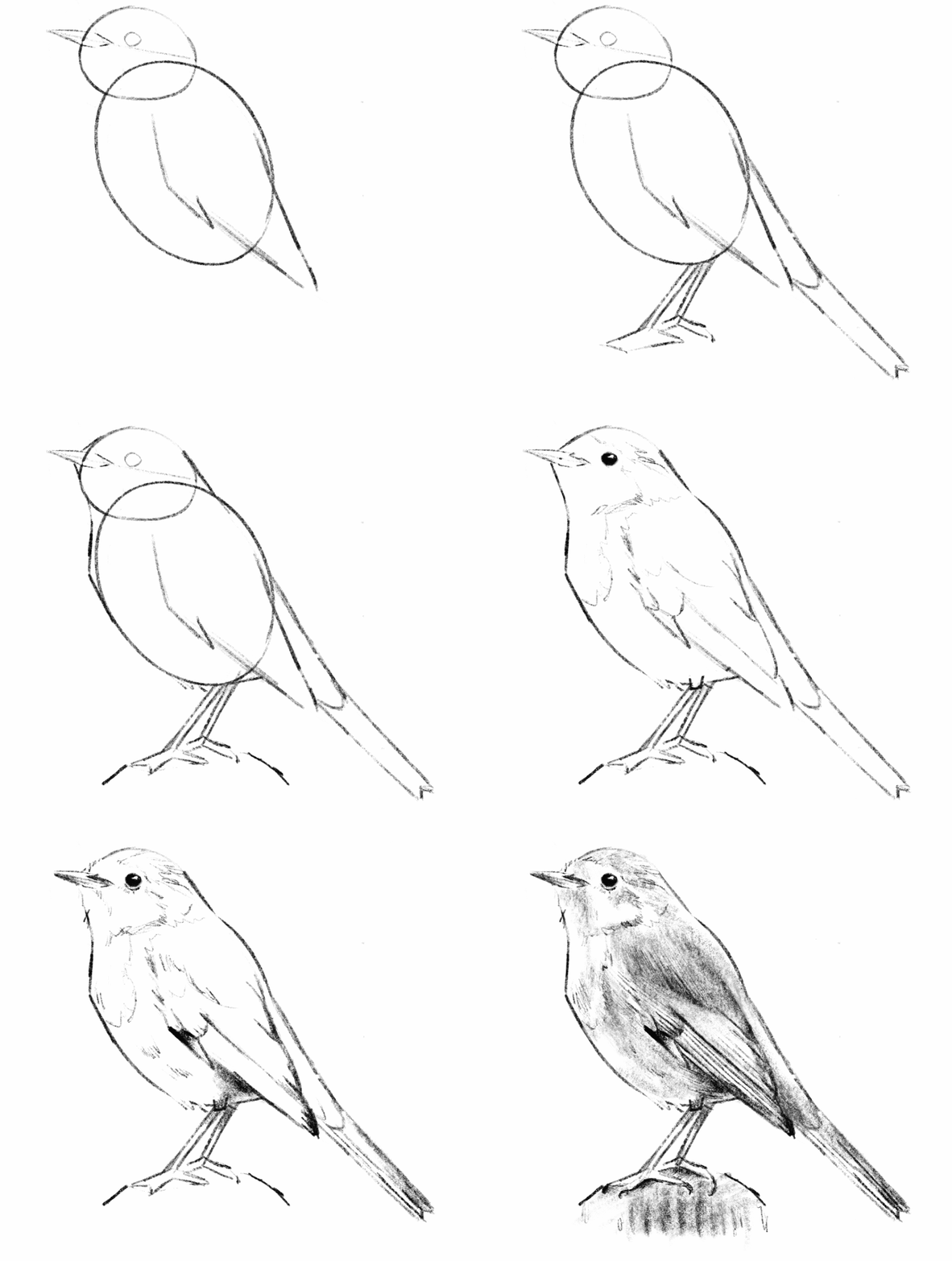
Let’s pick up where we left off…
When I talk about the two different stages of a drawing, I will often refer to the sketch stage as the “thinking part” and the drawing stage as, “the artistic part”, because that is essentially what they are. The sketch is the stage of a drawing that forces you to slow down, use your brain as you measure and study and adjust until your drawing is as accurate as possible.
The second stage is the stage of adding shading and details that make it come to life. Before we fully move on, have you adjusted your outline and erased the leftover shapes from our very first few marks? Don’t move on to your shading and details until you’ve checked the shape around the head and neck, checked to see if any of your proportions need adjusting… make any changes that you notice need to be made at this stage. They are harder to adjust later on.

Shading & Details
Shading Practice
I like to make a few notes about the techniques of shading before we get into the process.
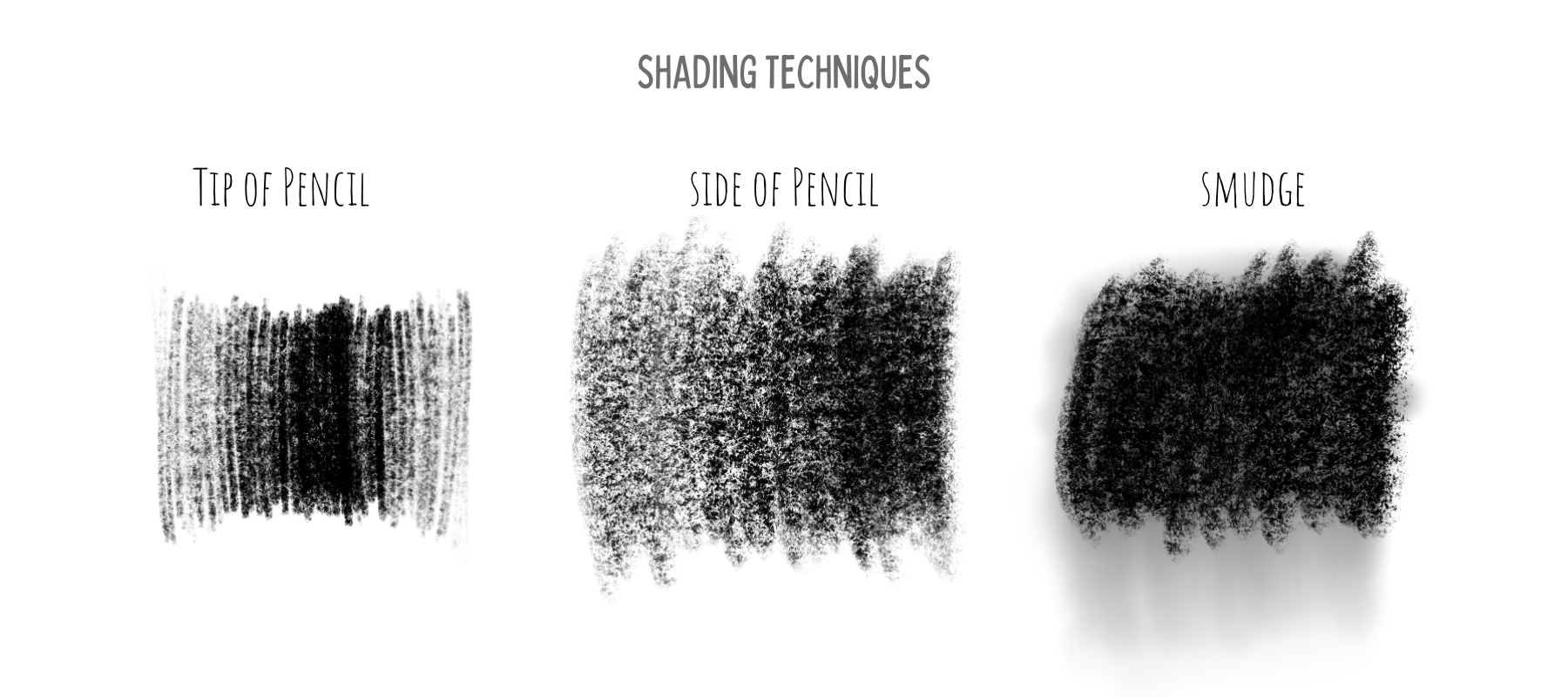
Shading with the tip of your pencil: I’m sure this is obvious, but one method of shading uses the pencil in the same position as when you write, where the tip of the pencil is touching the paper. It may be obvious, but that doesn’t make it easy. Smooth, controlled shading in this way is a skill that has to be developed and practiced. Use this method on a drawing that you plan to spend a lot of time completing (because it is slow), small areas of shading like the eye, and for texture marks.
Shading with the side of your pencil: Another option would be to grip your pencil slightly farther back toward the eraser and apply the graphite with the side of the pencil. Doing so applies the pencil in a softer and faster way. You are still able to create variations of dark and light by pressing harder or going over areas without as much time or delicacy. This is great for drawings which you do not intend to spend a long time completing.
Lastly, and this is somewhat contested among artists, but you can smooth and blend your shading by smudging. I do recommend practicing controlled shading, but it is your drawing. No one cares if you use your finger and soften up those shades. Blend areas of shading by rubbing in circular motions with your finger or tissue. You can even create a smooth gradient by smudging pencil into areas of the drawing that do not have any shading. Use this as a first layer to come back on top with texture or further shading.

Step one: creating contrast
Darkest and lightest areas

There are multiple ways you could go about the next few steps. For the sake of learning, there must be an order, but in your own practice it is more likely that you will find yourself switching between shading and details as it feels right. There is an intuition that you will develop for the process.
Because I believe in some instant gratification as motivation, I recommend starting the shading by finding the very darkest areas of the drawing as well as the lightest. The paper is most likely white and you cannot get whiter than the white of the paper, so in that case we simply leave out the areas of highlight. So those are already taken care of and all you need to do is find the darkest areas.
Squint your eyes at the reference photo. Doing so will take away detail and reveal to you larger shapes of various shades of color. Notice any areas that are so dark when you squint that you can more or less fill them in as dark as possible with your pencil. Some of these areas will not have sharp borders, but they will fade into lighter areas so you will also want to replicate this by fading those darkest areas. Some areas thought may have edges, like the eye.
2. The eye is my favorite place to start because it is quick and very gratifying. To shade in the eye, fill the eye in as dark as possible, but leave out a small organic shape, like a circle, the white of the paper. Even when I don’t see this reflection in the reference photo, I will still add it to the eye. This is because it taps into the way our brain processes shape. As artists, we are putting flat lines and shades onto a paper and attempting to make them look 3-dimensional. This one simple trick will instantly make the drawing look more realistic because the viewer’s brain will recognize it as the highlight that happens on a sphere with a light source. (Step 1. is the last step from the basic sketch.)
3. From here, shade the areas that you have deemed to be the darkest. Because they are areas to shade as densely as you can, you do not have to be quite as deliberate and slow as in areas that require more variation and attention to detail. Immediately, you will see a high contrast in the drawing. By doing this, the form will take shape and it also identifies a value range. By determining the outer limits of our values, it makes it easier to then see the middle values that fall between white and black, or those middle values that will require more deliberate shading (effort).
Step two: suggesting texture
Drawing Feathers
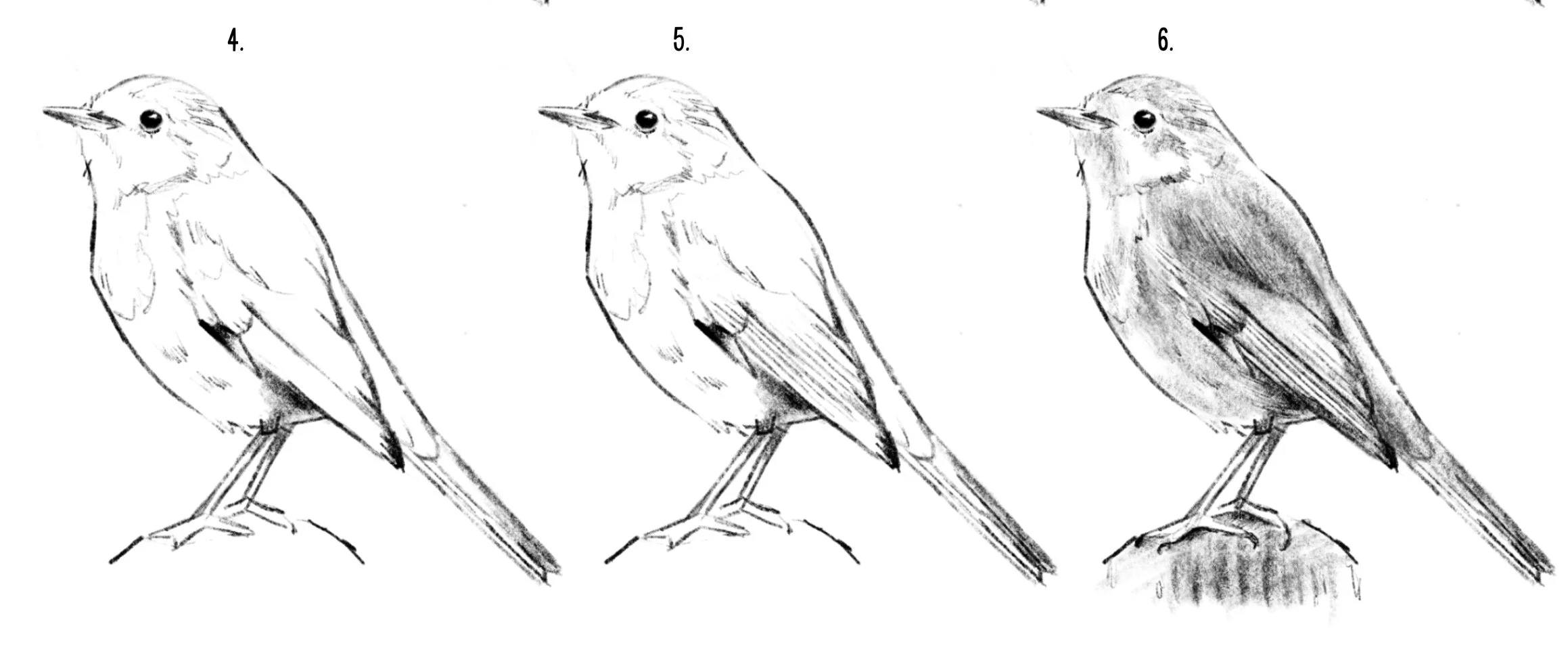
The shading is not complete, but before moving on, let’s take a look at suggesting texture, in this case- feathers.
Often, new artists or young artists will fall into the trap of drawing what they know is there whether they see it or not. A bird is covered in feathers, and most likely, you already know that. So your very intelligent machinery (brain) kicks in and says, “Great. Let’s cover this thing in feathers.” The result will look something like the photo below, and not very realistic. However, by zooming in very closely and tracing what we actually see… you can see clearly that even though there are feathers covering the bird, we do not actually see feathers. What we see are the SHADOWS of the upper layer of feathers being cast on the feathers below. And they often look like hash lines, v or w shapes, squiggles, dots— anything but feathers— but this IS what we see, so this is what you need to draw.
This is called “suggesting” feathers. That is because you are suggesting that they are there without drawing the feather shape. Similarly, you do not need to cover the entire drawing in these lines. You only need to add them to the key areas to suggest the texture. If you struggle to know where to add and where to leave them off, squint again to remove the detail and only add them in some of the areas where you still see the suggestion of them in the reference. You might often see these at the line where the head and body meet, the chest and belly area, and along fluffy edges of the outline.
Step three: Middle values and detail
You are now aware of the skills required to complete your drawing. It is time to go back and forth between these methods and practice your intuition. Look closely at the value in different areas on the body, filling in a smooth value of grey or dark grey in any area of shadow. Use your feather shadow marks to show texture or even to darken areas of shadow. Use light lines for texture in highlight areas and use heavy, dark lines for texture in areas of dark feathers or shadow.
Conclusion
An inspiring artist and naturalist, John Muir Laws, said, “Every drawing is practice for the next.” What he means by this is, if our primary focus each time is on the outcome of our drawing and whether we end with a pretty picture, then sometimes we will succeed but we will likely fail in equal proportion. In the journey toward becoming the artist you would like to be, there will be drawings that you do not enjoy when you are finished. Holding pretty outcomes as your highest aim makes you vulnerable to discouragement, and even vulnerable to giving up. However, if when you sit down to draw you are approaching it as if it is always practice for the next drawing that you do, then regardless of the final product you will have a successful drawing. Each time you intentionally put time and effort into your skill you WILL learn and gain something. You are literally creating new connections in your brain each time you exercise the effort of your skill.
So, more important than all, aim for discovery and get comfortable with the idea of imperfection. That will be your fastest road to art success.
Love all things birds and art?
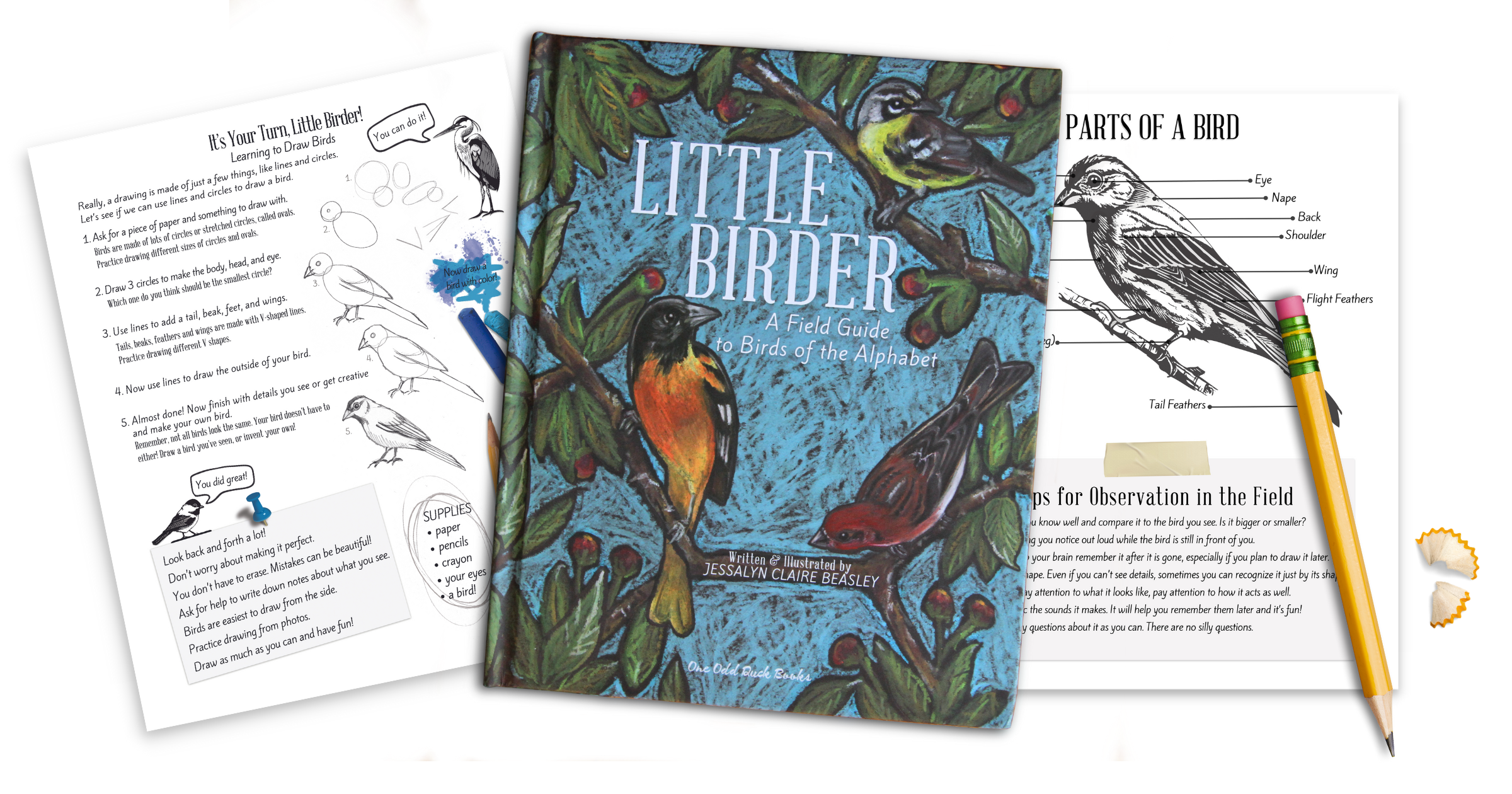
Click the image below to grab a copy of my children’s book, Little Birder: A Field Guide to Birds of the Alphabet.
Click here to read How to Draw Realistic Birds Part-One

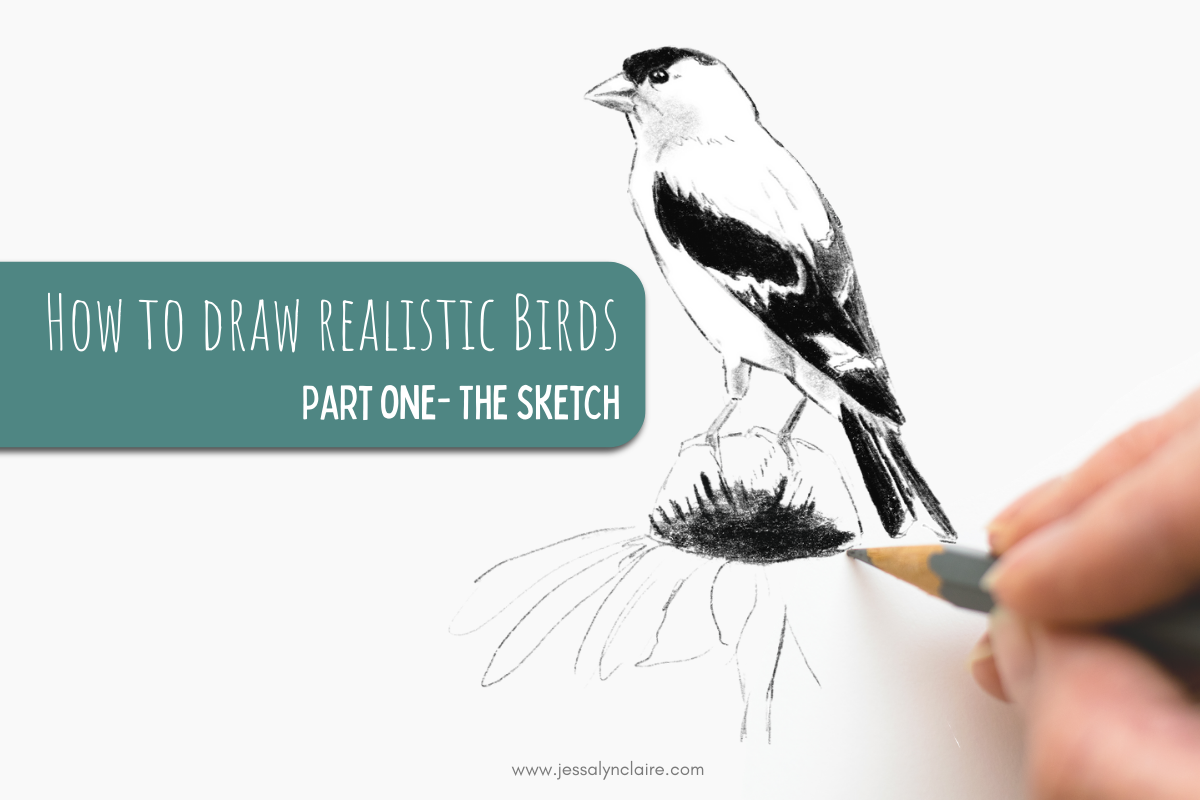
How to Draw Realistic Birds- Part One- Starting with a Sketch
Drawing skills are the foundation of any art practice. Knowing how to draw opens a world of possibilities on which to build your creativity. That is because the basis of great drawing skills is observation. In order to draw well (realistically), we have to draw accurately. Drawing accurately means obeying the rules of nature, tapping into the way the brain works, and knowing where it sometimes steers us wrong.

How to Draw Realistic Birds- Part One
This post may contain affiliate links. If you use these links to buy something I may earn a commission at no additional cost to you. Thanks.
Drawing skills are the foundation of any art practice. Knowing how to draw opens a world of possibilities on which to build your creativity. That is because the basis of great drawing skills is observation. In order to draw well (realistically), we have to draw accurately. Drawing accurately means obeying the rules of nature, tapping into the way the brain works, and knowing where it sometimes steers us wrong.
First of all, what do we mean by realistic?
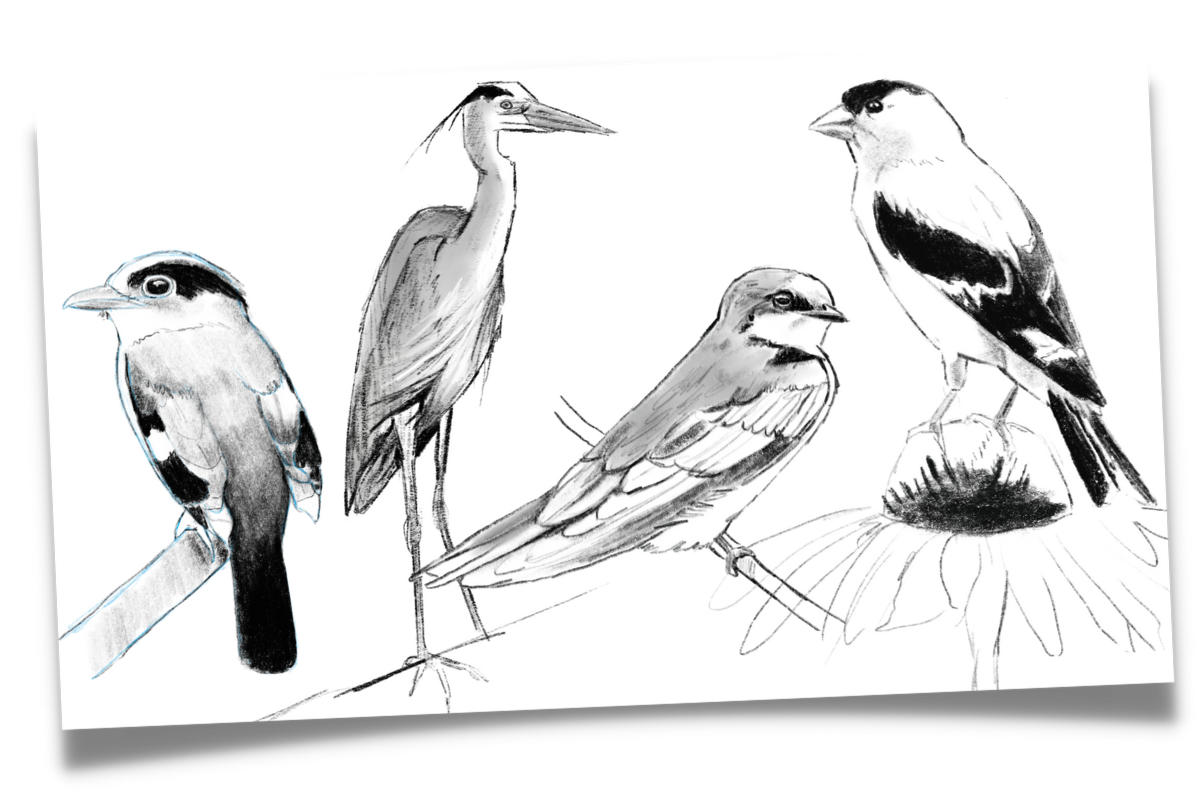
How to Draw Realistic Birds- Part One- Sketch
Have you ever seen a drawing or a painting that looks so real that you can’t tell whether it is a photo or an artwork? That is probably what is conjured for many people when they envision realistic art. And it’s true, that is realistic. In fact, it is so much so that it is called photo-realistic, or hyper-realism. But that isn’t the only type of realistic artwork. For this lesson it is important to realize that when the word realistic is used, what I mean is “accurate”.
Are the proportions accurate? Is the head the correct size for the body? Is the tail the correct length, the wing the right length? Does it have the identifying marks of the bird that we are using as a reference. Have I created a sense of form (3D) by adding shadows and highlights strategically? Basically, does this look like the thing I am trying to draw?
(Psst… you can download the FREE How to Draw Realistic Birds- Part One PDF below!)
Step one: Basic Map Sketch
The drawing will be done in two parts, starting with a sketch. While teaching children this process, in order to illustrate the important purpose of a sketch in realistic drawing, I began to call this step a “basic-map-sketch”. I call it “basic” because it begins by using basic shapes that you already recognize and understand very well to build the overall structure of your drawing. I call it a “map-sketch” because it does for us as artists, what a map does for a traveler. If I’m going somewhere I’ve never been, I don’t simply take off and start guessing which direction to go. I get out a map, look at all of the lines and angles, and get a sense of the picture as a whole to understand where I am going and then I start. To start off with guesses would take longer, involve more mistakes and it’s likely to require turning around and going back a few times.
Think about your sketch as a safe place to make mistakes. The sketch is the place that we slow down, engage our brains and rework as much as necessary until we get things correct. There are two common downfalls in drawing. The first is impatience. For many of us, a sketch is tedious and delays the gratification of seeing a drawing come to life. There is a tendency to rush through the preliminary parts of our drawing, that include the important element of accuracy, to move to the more satisfying parts. The second is the fear of mistakes. For many of us there is the pressure to get things “right”. Oddly, the idea that we cannot make mistakes in our process can create the temptation to leave marks the page that are not correct, simply because they were the first marks we made.
Going into the sketch portion of your drawing with the expectation to make “mistakes” takes the pressure of perfectionism out of the picture. It is difficult to be willing to erase a mark you’ve lovingly placed, but be willing to change it and work at it until it is right.

Learn to see the basic shapes
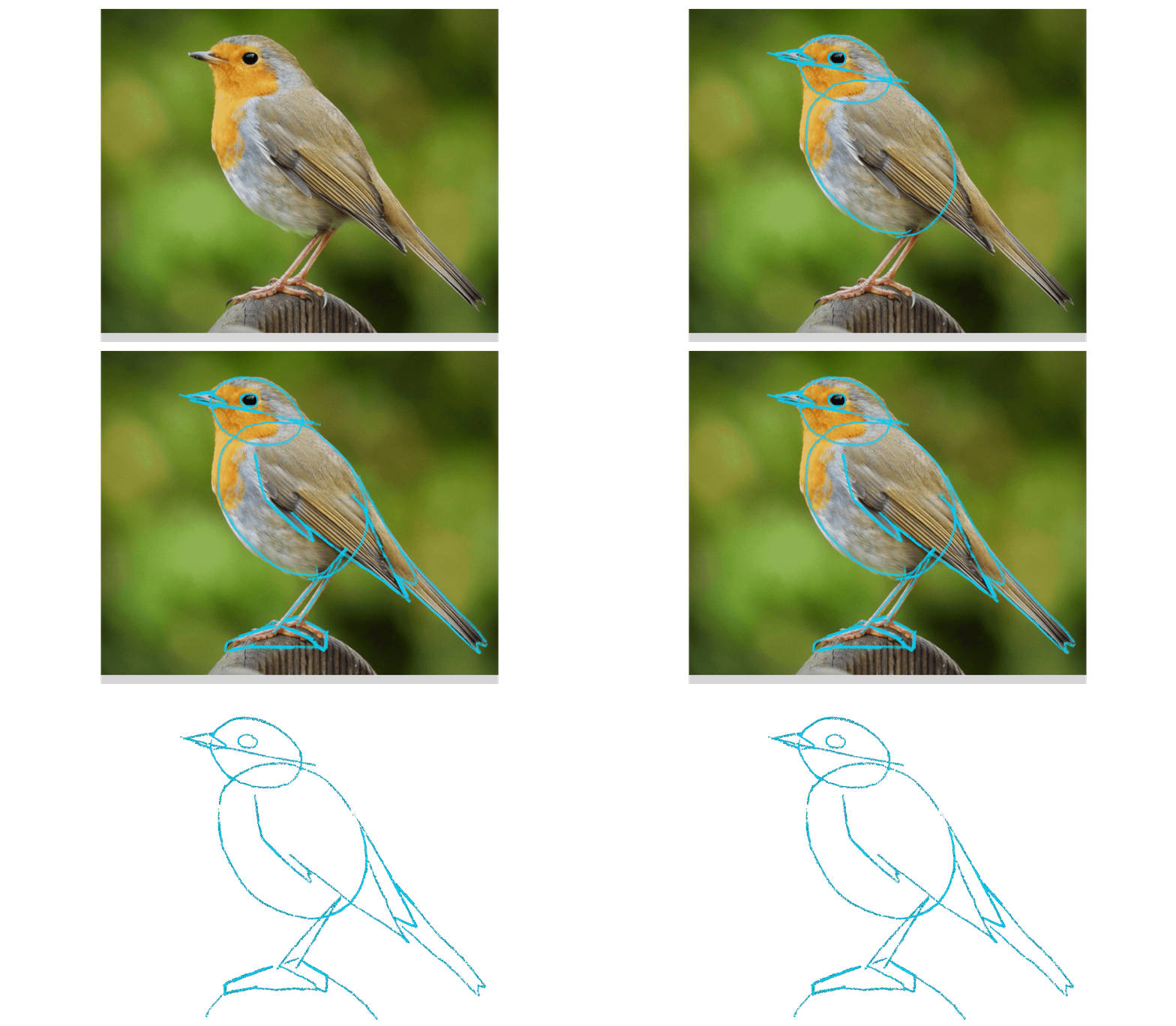
First let’s have a quick practice at seeing the basic shapes within a bird. (Animated GIF of appearing shapes over bird image, take away image) It may take some imagination and practice for this to become a natural process, but over time it will become more second nature to break down a complicated shape into smaller, more basic parts to see the structure. Remember, you’re not looking to fit your bird sketch into a mold with a certain type/number of shapes. What you’re really doing is attempting to make connections in your brain between what you are observing and pieces of information you already have. It sounds a bit unbelievable, but by making these simple comparisons such as, “The head reminds me of a circle.” it creates new connections in the brain and your ability to see the object in front of you with more accuracy will increase.


Step by step sketch
STEPS 1-7
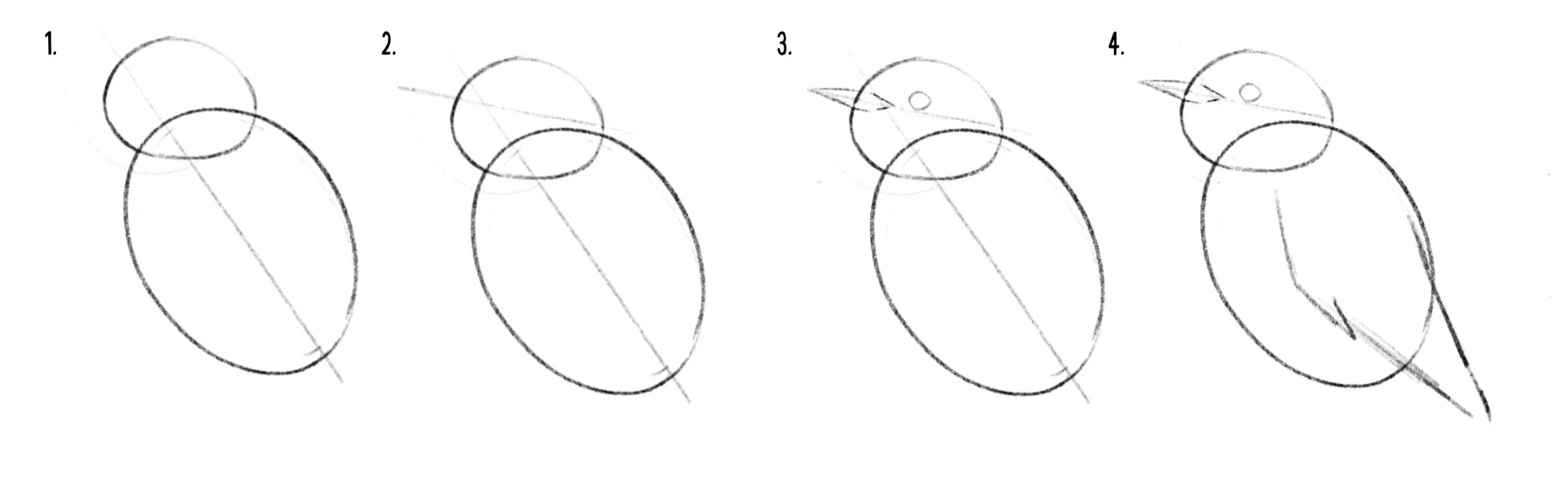
Posture line: Start by sketching a line at the angle of the posture of the body. The oval we will draw for the body will be drawn on top of this line. Do not try to draw the angle of the bird overall, focus on the angle of the largest portion of the body. The head will often be set at a completely different angle. This line helps ensure you sketch the overall shape in the correct position.
Circles: Visualize the circular shape of the body and head. Pay close attention to the size comparison between the two body parts. You do not have to over generalize the circle shape. The aim isn’t to over-simplify the structure into simple shapes, the aim is to make connections between shapes you already recognize and the shape you are trying to observe.
The beak line: The next trick is a great example of how knowing the way nature behaves can make us better artists. In many birds, and most songbirds, if you were to visualize (or sketch) a line where the top and the bottom of the beak meet and continue it out the back of the head, you will find that the eye will sit right on this line. The second benefit of this line is that it shows clearly how the bird’s head is tilted. These small details of angles can trip up an artist. It is the sort of small detail that causes that sensation of something being “off” in your finished drawing, but often not obvious enough to know what exactly it is that looks wrong.
Then draw the beak around that line, paying close attention to the size and shape of the beak. Is it short and fat? Skinny and sharp? It is important to notice that unless the bird is facing directly to the side, the beak shape WILL cross over and into the circle you’ve drawn for the head. You will see illustrated or simplified birds with a v-shaped beak popped right on the side of the head, but in real life birds are more often looking toward or away at an in-between angle. Add the eye sitting just on top of the line you’ve created, trying to study the shape, and the distance between the beak and eye closely.
Wing shape: As seen above, many wings can be simplified into one or more v-shapes or triangles. Estimate the length of the wing the best you can, realizing that as you add information to your drawing, it will become more clear whether you have accurately estimated the length. The wing is an area where I often have to make changes at a later stage.
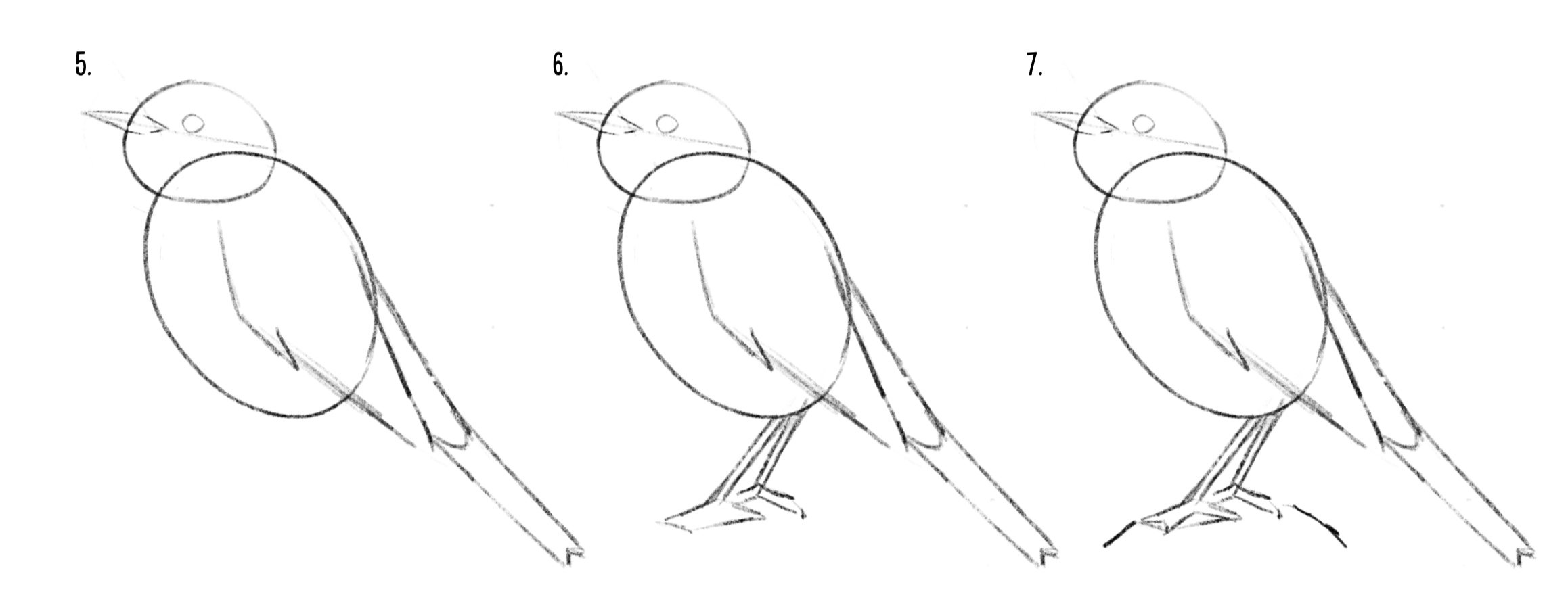
5. Tail: Often you will find a triangle where the tail and the body meet, or a rounded V-shape when looking at the tail from the front. In this bird we barely see the space where the tail and body meet, but we do still see a small indication of the v-shape feathered section that I am referring to. Sketch this shape in to give the proper angle from the body and then draw the tail, paying close attention to the angle of the tail. Use a simplified shape that you plan to correct later or draw it with the nuance you see in it.
6.Perch and legs: There are a few ways to approach this last portion of our sketch. The bird we are drawing is not flying, but it isn’t floating. So we need to add a place for it to perch in order to draw the legs and feet. There are a few ways to add the branch or surface where a bird is perched. One way is to simply estimate. This is not a bad system. Lightly sketch a line roughly where you visually estimate the perch to be, keeping in mind that if it is too close or too far away it will impact the length of the legs.
7. Or an alternative method is to look between the legs at the negative space. You can visualize the shape that is created by the space between the legs and perch, and draw this shape. (In this case a thin triangle.) The lower edge of the shape will be the perch or top of the feet, and show you how far from the bird these need to be drawn. The legs can also be drawn by this method of visualizing the shape of the negative space. The same shape you have drawn, if drawn to accurately match the image, will also provide the inside line of the legs. You can follow it by simply drawing the opposite side of each leg.
*The alternative to adding the legs this way is to simple measure and visualize the angles of the legs. This will often create a triangle that has the same helpful effect of helping you check your work. Draw these angled lines very lightly onto the bird, paying attention to where they connect to the body, and then finish by drawing your thin bird legs around these lines.
Feet: For today, we will draw a simplified version of the feet. Often, the position of a bird’s foot will visually appear to be a dark mass of toes rather than a foot with distinct features to pick out.
Using straight lines, simplify the overall shape of the foot, ignoring the space between any toes. Not only is this helpful in ensuring that the posture of the foot is correct, and makes it much easier to draw, but it’s a helpful way to observe the way the feet work to better understand how to draw them in the future.
Lastly, once again we go to the negative space. See how the space between our toes and our shape create a triangle? Recreate those triangles within the geometric shape we used to draw the foot and then erase the outer lines. Voila. C’est finit.
perfecting the outline
STEPS 8-10

Congratulations. You have finished your basic map sketch. However, these next steps are arguably the most important. The reason being that without it, using the basic shapes would make our drawing look less realistic, rather than more. Drawing with these basic shapes can really increase the accuracy of your drawings, UNLESS you get to this point and leave it as it is. We’ve used two ovals to capture the proportions and shape of our bird, but as is, it can be reminiscent of another object made with stacks of circles… a snowman! That is why I warn students against “the snowman bird.” For some reason it is very difficult for young students to remember not to leave the ovals from their sketch in the final drawing.
If we trace the outline of a snowman onto our bird image, we see very clearly that is not the shape of the bird. So, before doing any details or shading in our drawing, we must take a moment to refine the outline and shape of the bird. DO NOT FORGET THIS STEP. I know you’re ready to see this drawing come to life, but trust the process. If you leave this step off, you would be better off to draw by simply studying the outline.
Taking a close look at the reference photo, draw a line coming from below the beak to meet the body. Then study the angle at the front of the head that comes out of the beak and then the shape of the head. Finally, following the outline you observe in the photo, connect the head to the body oval along the outline, adjusting the size and shape as necessary.
Now, erase the leftover lines from the original shapes…Ahhh, that feels good. Doesn’t it?
The last step for part one will be to lightly mark out the various color changes along the body and major wing detail. This allows your brain to visualize the bird’s 3D form better. The brain needs surprisingly little to be able to fill in the missing information and understand what is going on. Think about the wing detail with the shape basic shape breakdown as the overall sketch. You are taking a larger, more complicated shape and breaking it down into smaller, simple shapes. You do not have to add every detail, just focus on the big shapes within the wing. Taking a moment to add in the wing detail will save you from having to stop and re-engage that part of your brain once you’ve moved on to the artistic, intuitive part of the drawing.
Whew, you did it!
Way to go, you’ve created your basic sketch. Now go have a cup of tea first, or move straight to part two of How to Draw Realistic Birds by clicking here!
Wait, there’s more!
You may be an adult, but that doesn’t mean you can’t watch the free video tutorials for kids from my Outschool class, here. Be sure two watch the learning video and the guided drawing video of a Black-capped Chickadee.
Or, get your copy of my children’s book about birds, Little Birder: A Field Guide to Birds of the Alphabet here.
Check it out!
Sometimes at this stage we have to trust the process even when it doesn’t feel like it is looking great. How do you feel about your sketch? Let me know in the comments below.


Beyond Wildlife- A Series of Mini Oil Pastel Landscapes
It may not seem like it, but I DO paint things other than birds and wildlife. In fact, until recent years I almost exclusively worked in portraits or figurative work. I really can’t explain the shift, except with the notion that change is the nature of life. I recently took a short break from wildlife to create a mini landscape in a vertical orientation. Something quick, something different, something filling. I became addicted to working in the narrow framing of a vast scene and on the bite size canvas that forced expressive strokes and letting go of detail. Within the week I had a pile of mini landscapes.
Beyond Wildlife
A Series of Mini Oil Pastel Landscapes
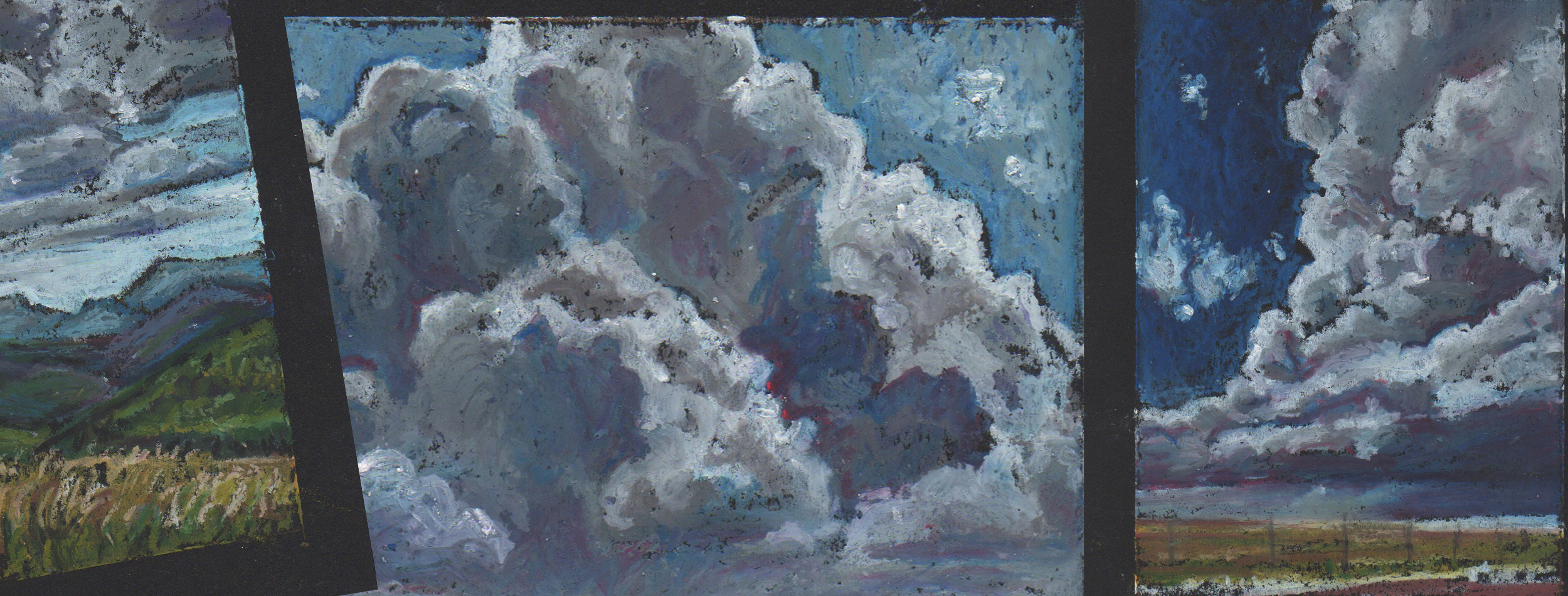
It may not seem like it, but I DO paint things other than birds and wildlife. In fact, until recent years I almost exclusively worked in portraits or figurative work. I really can’t explain the shift, except with the notion that change is the nature of life. I recently took a short break from wildlife to create a mini landscape in a vertical orientation. Something quick, something different, something filling. I became addicted to working in the narrow framing of a vast scene and on the bite size canvas that forced expressive strokes and letting go of detail. Within the week I had a pile of mini landscapes.
As the series evolved, I began to be more and more obsessed with the skies than the land, skyscapes of large billowing storm clouds. Maybe it was because I was stormy. Not stormy in the dark and somber sense, maybe on some days, but in the all of the multitudinous personalities of a storm. The tension of something building in the distance, the beauty of wild freedom, the smell of rain-soaked earth, the comfort of standing in the rain. For a days all I could think about was storm clouds. Gray masses blanketing the sky, ominous dark towers, fluffs building in the distance.
As quickly as it began, the sky reappeared and it was back to business as usual, birds, bees and beetles.
Mini Landscape Series: Numbers One through Eight
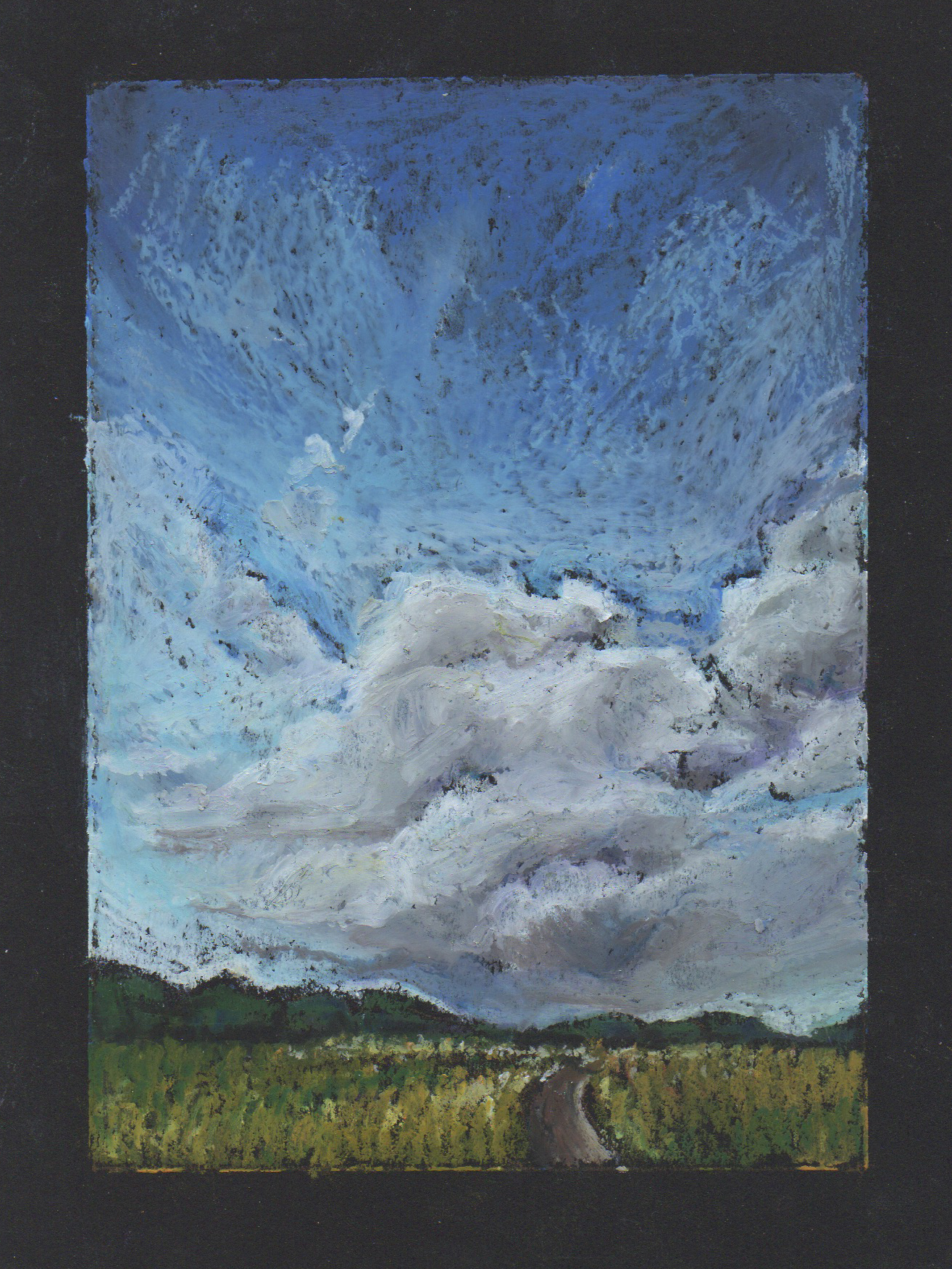
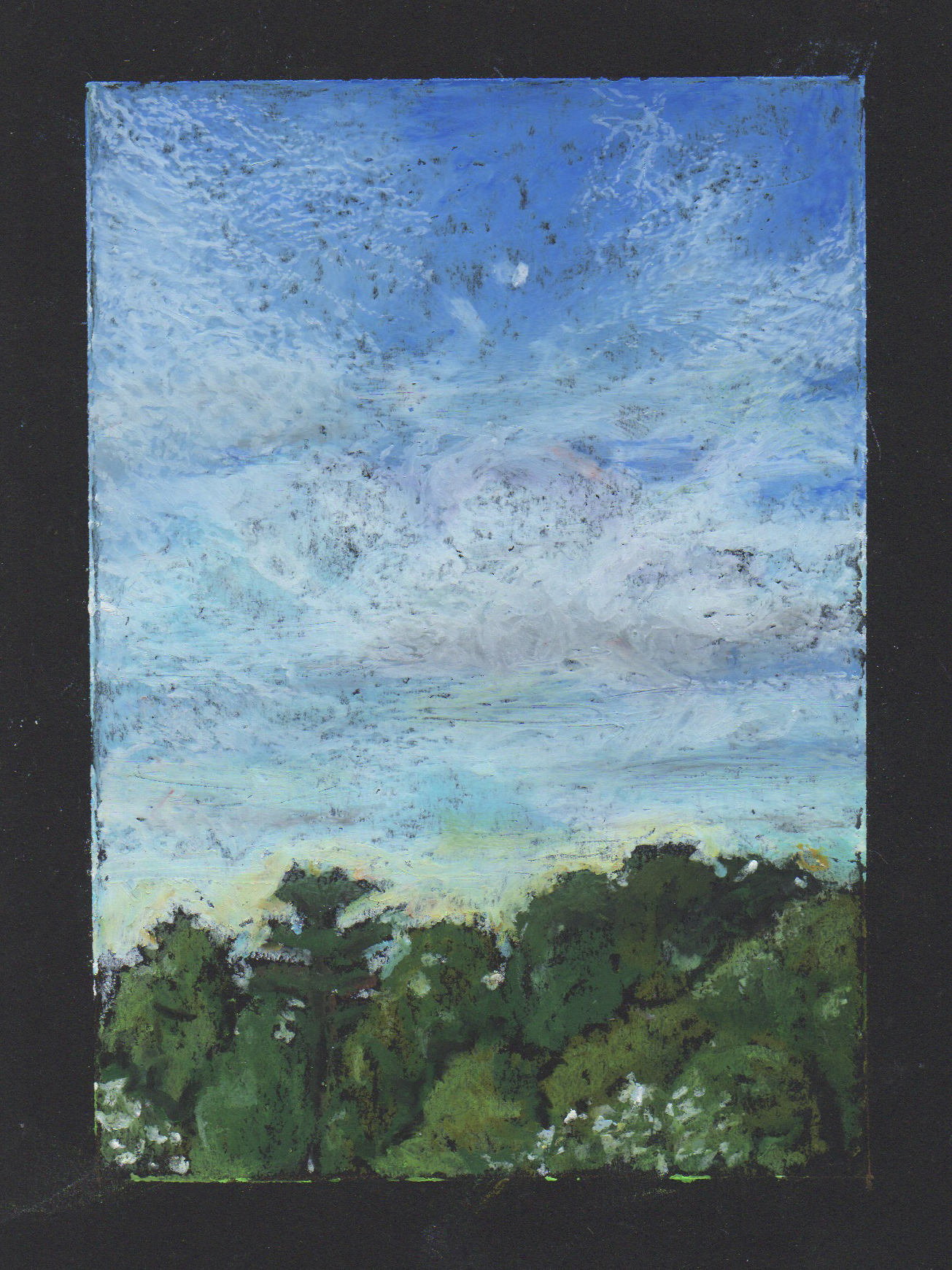
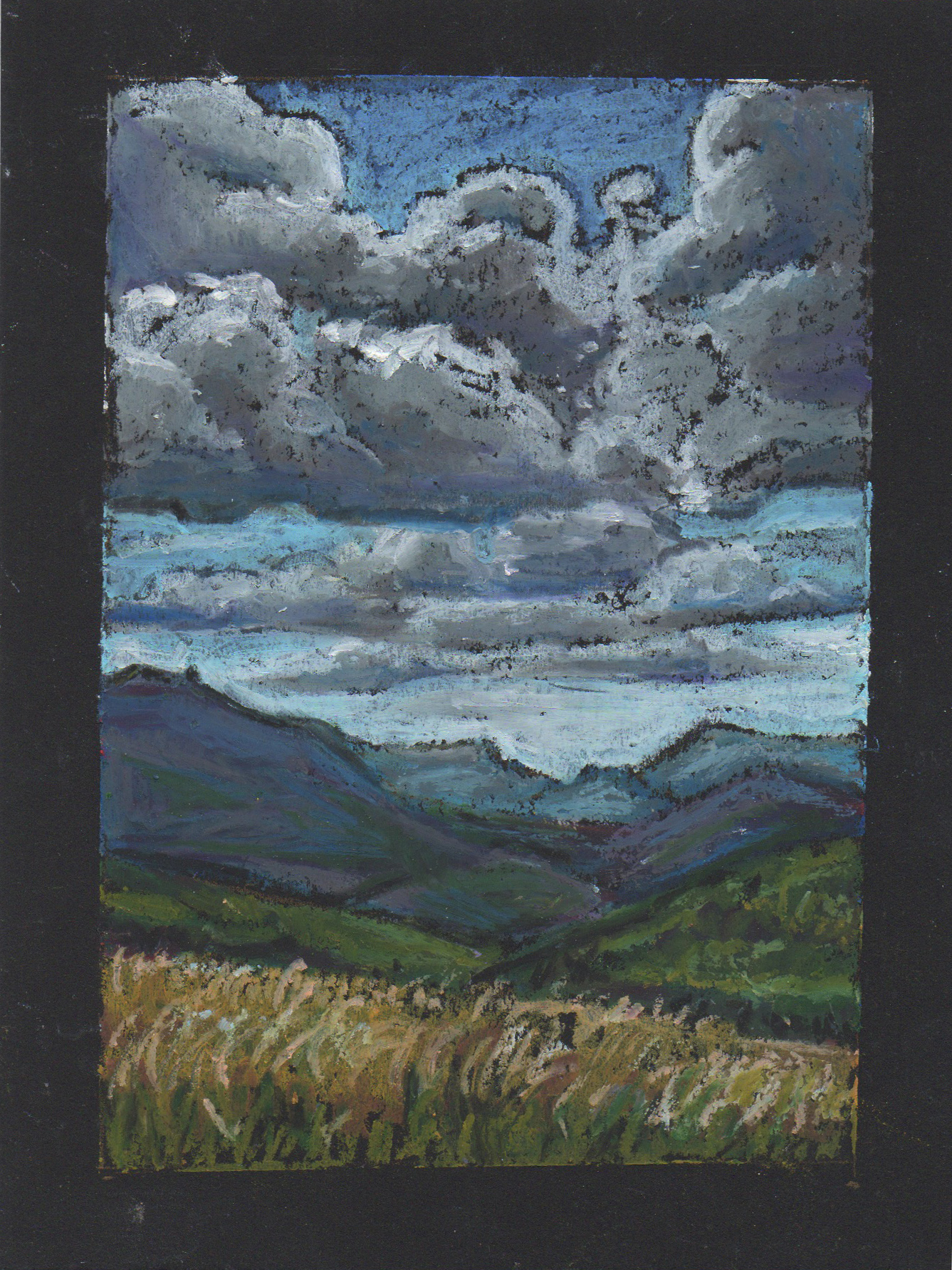
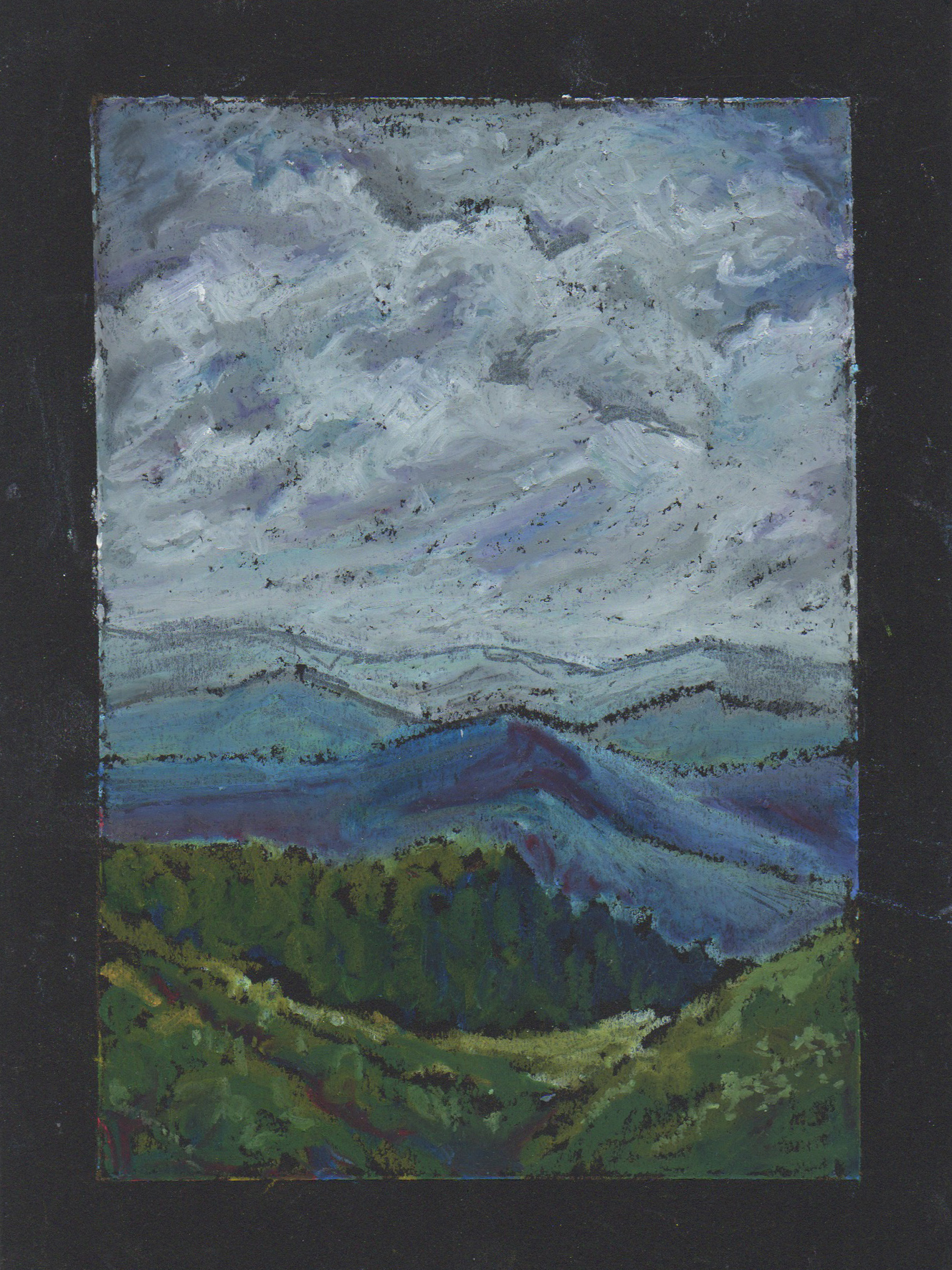
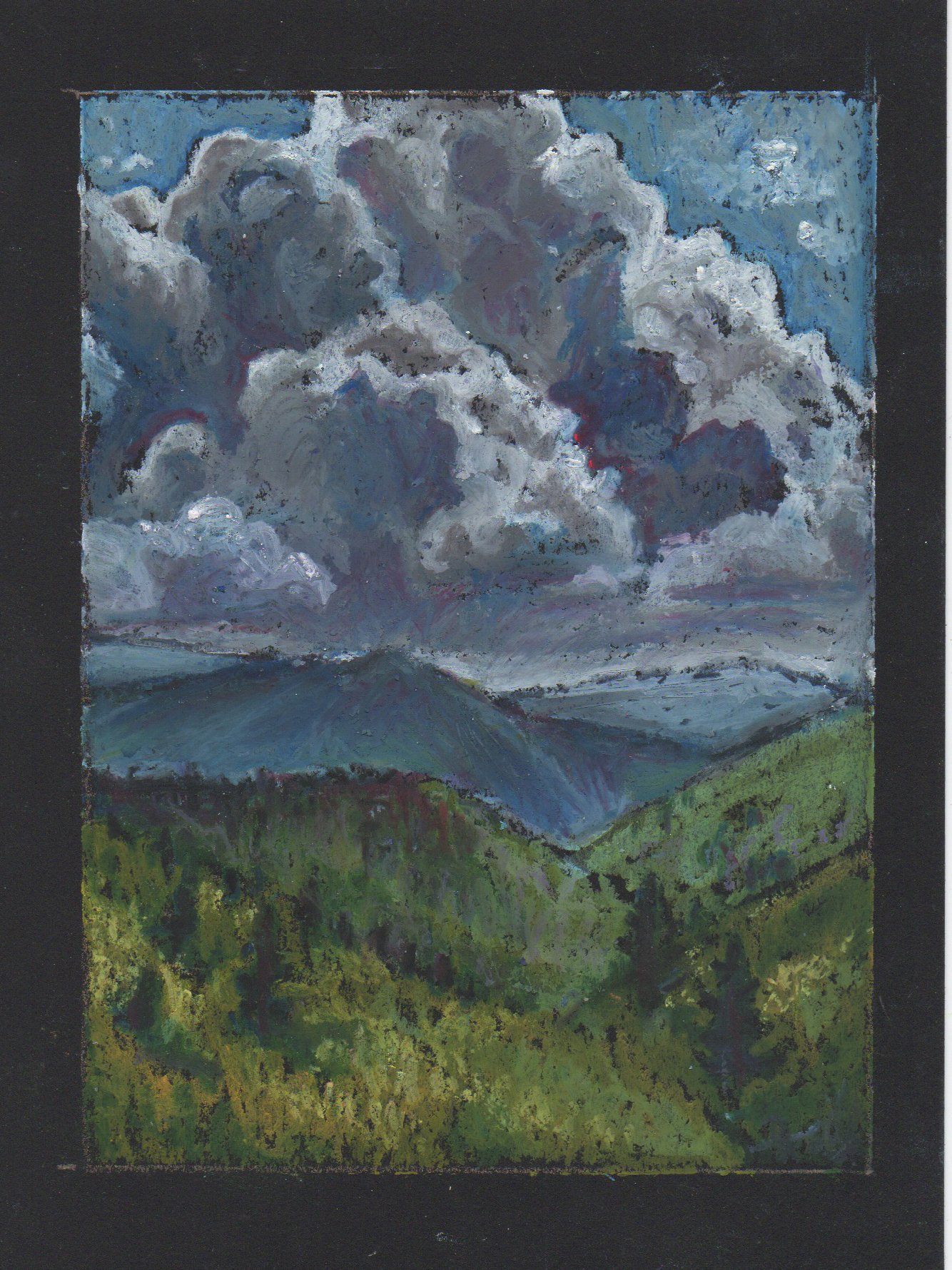
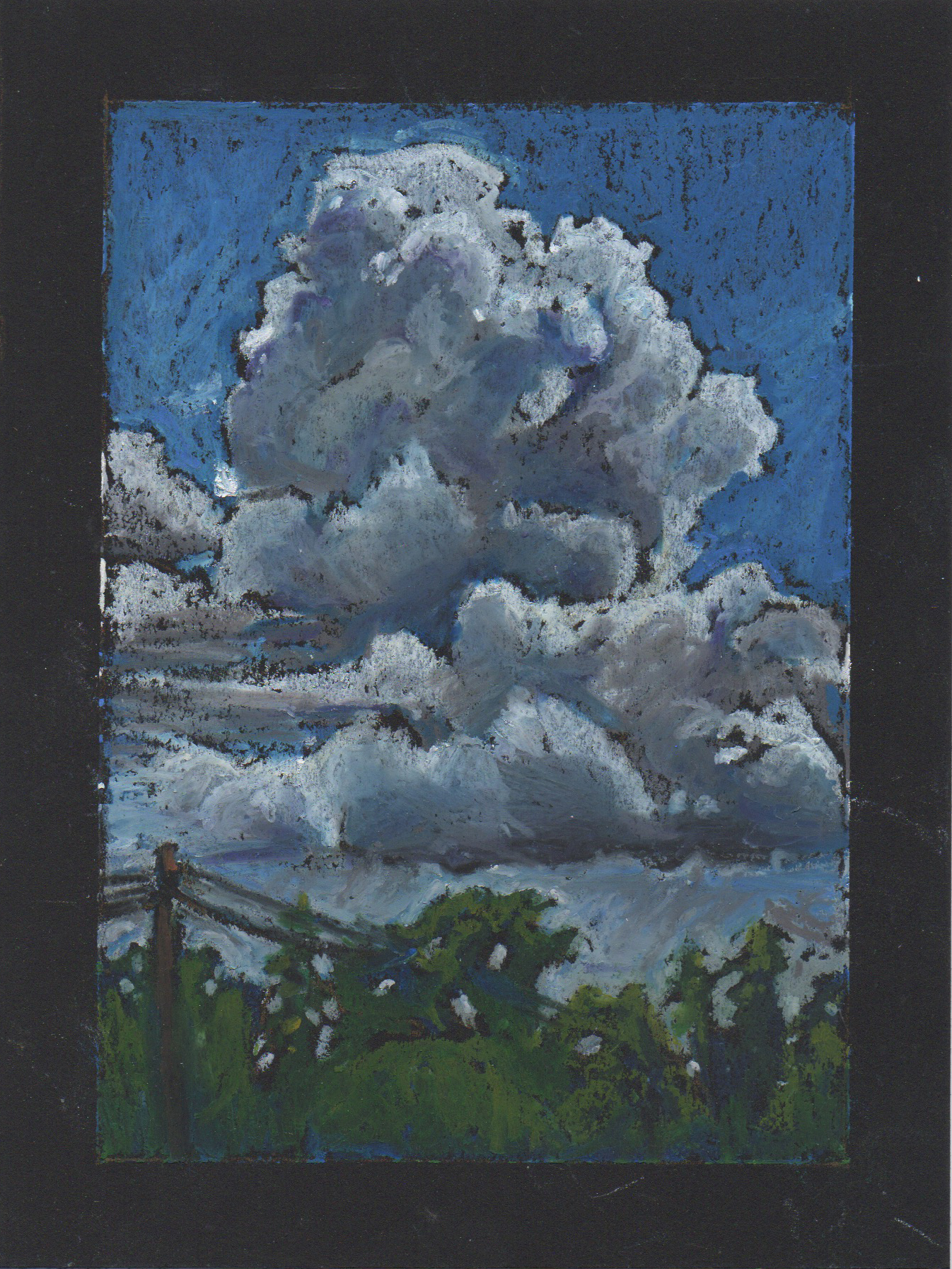
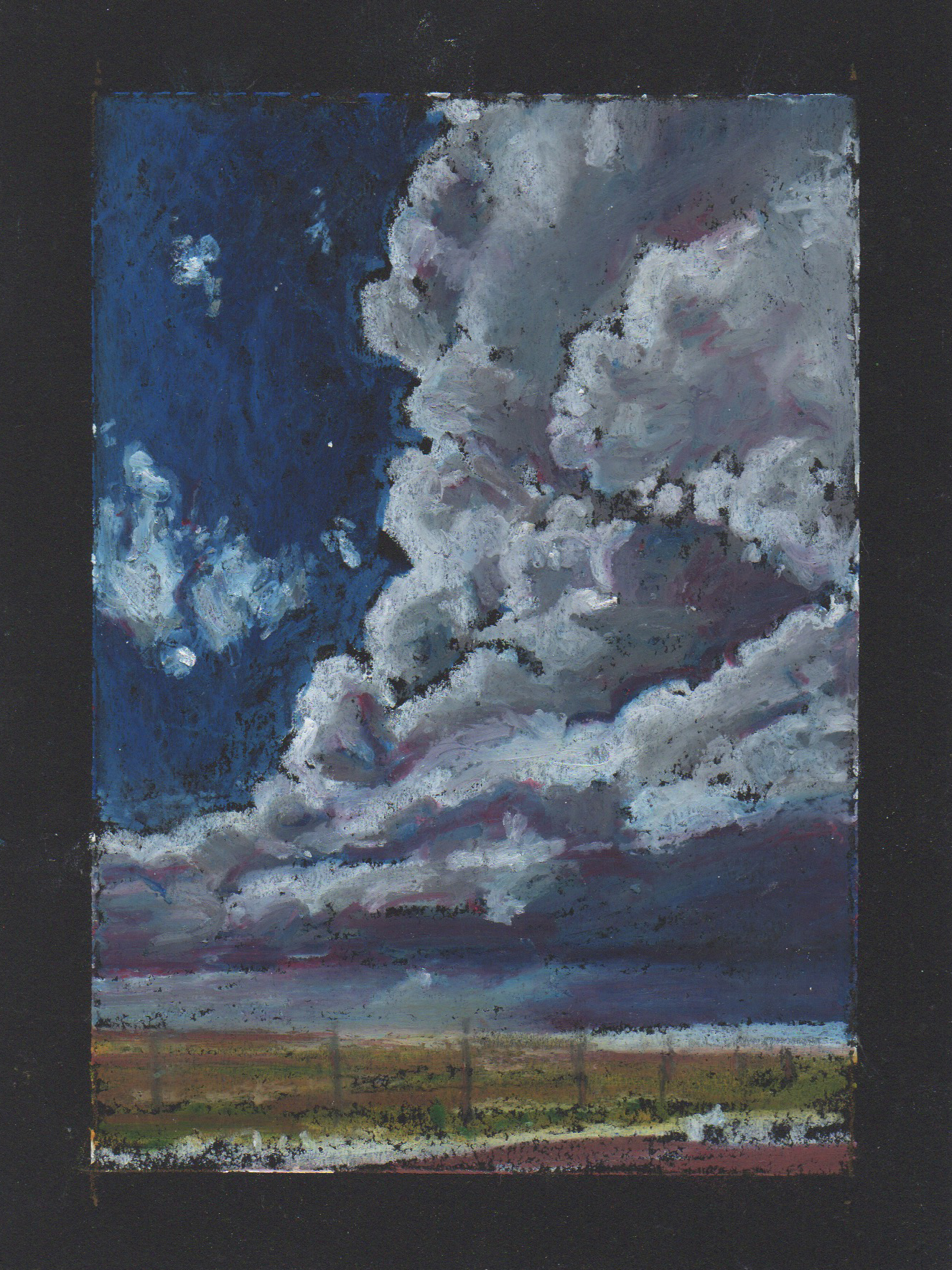
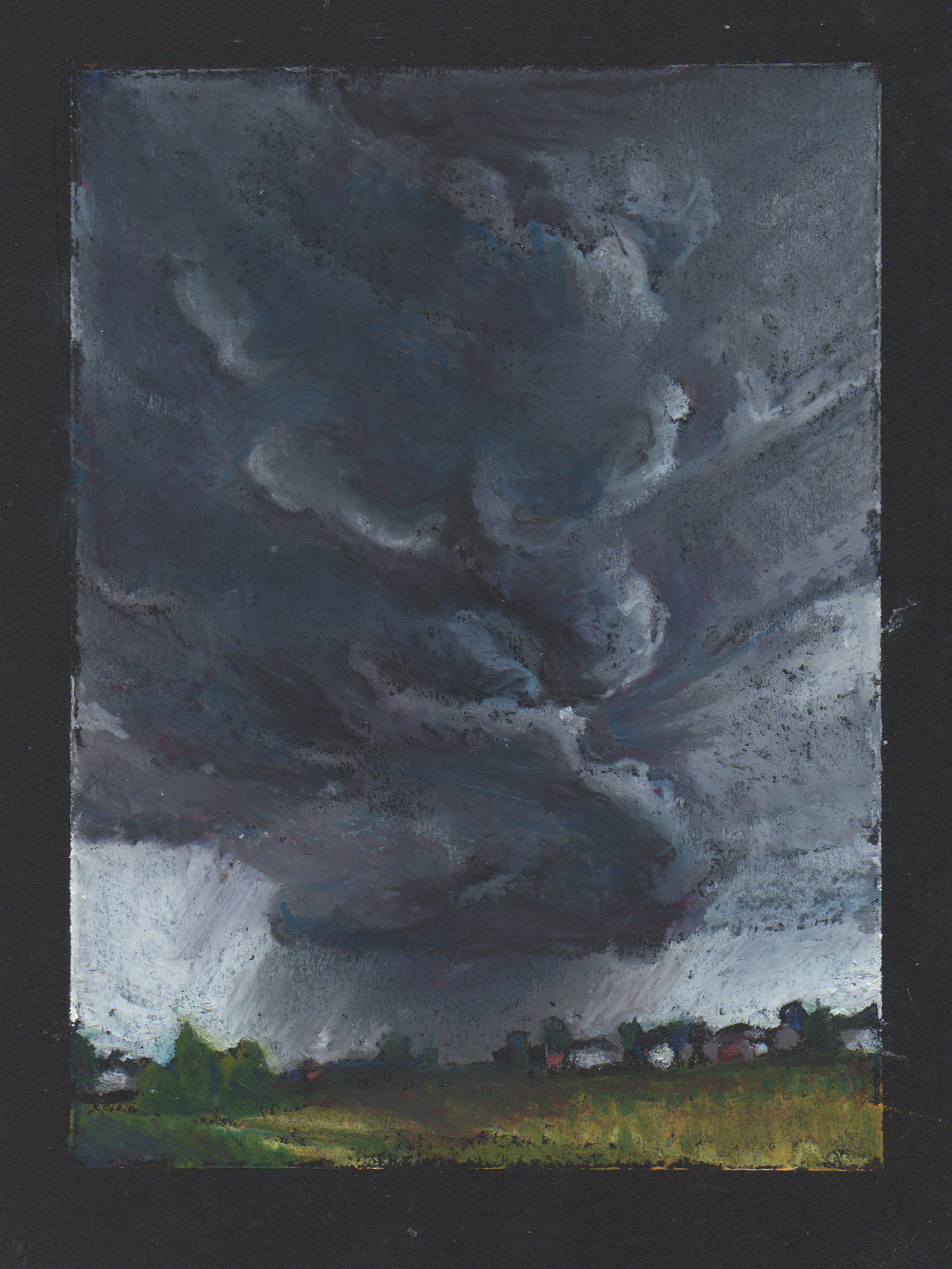
Oil pastels are an exciting and versatile art medium. Their convenient versatility can be the aspect of oil pastels that make them confusing to beginners. There are more than a few ways to use oil pastels. Which way is the right way?
The good news is, one of the greatest freedoms in art is that we are not bound to use the mediums in the same way others use them, or for that matter, how they’re intended to be used.
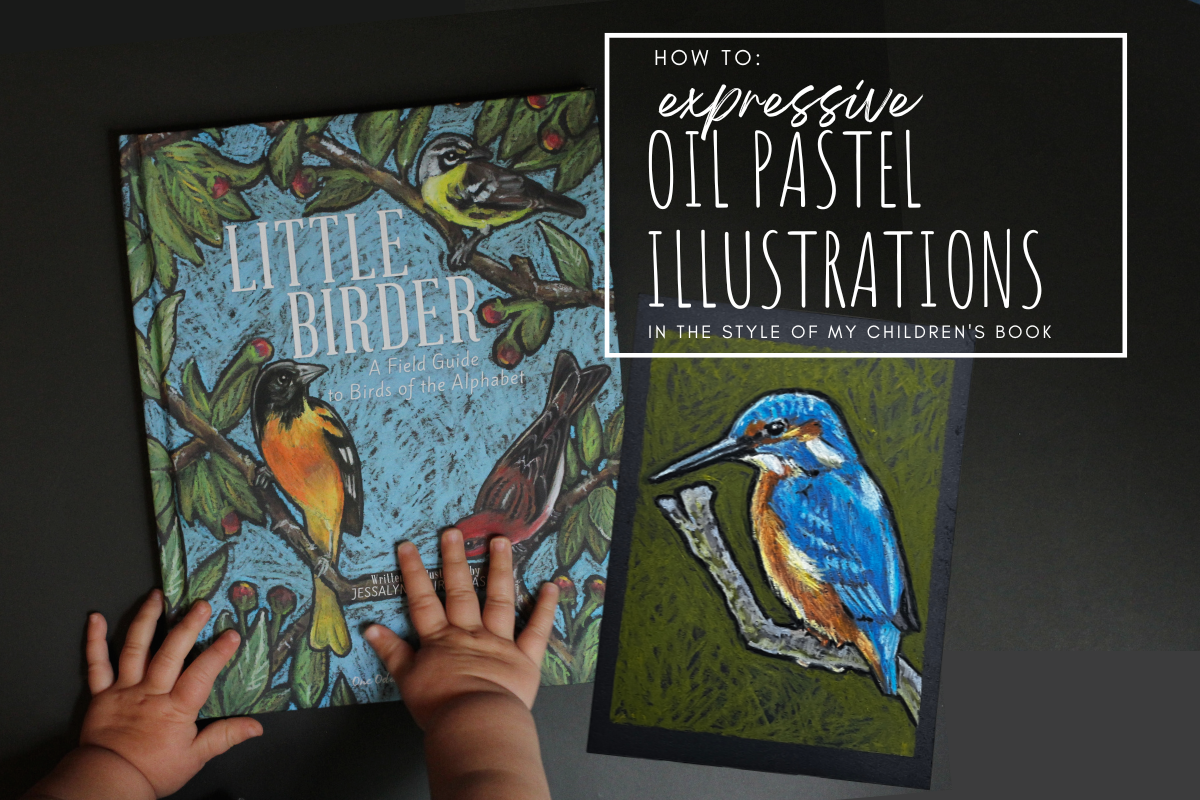
If you can get comfortable with that, then you can have endless success in oil pastel. This post is about making the most of the oil pastel’s ability to be loose, expressive and imperfect. I will introduce you to the benefits of oil pastel in its loose form. At the end of the post you can find the link to an oil pastel tutorial in the style of my children’s book illustrations.